INSTALL & UPDATE GUIDE

Up and playing
in five minutes.

How to install AMP X GUITAR on Windows, start your free trial or activate your purchase, and keep it up to date. Every step shows the button to press.

You need 64-bit Windows 10 or 11 and an internet connection while you install. Mac, Linux, AAX and mobile versions are coming: get notified.

Install

STEP 1

Create your free account

Go to pxcaudio.com/account and choose Create account. Fill in your name, email and a password, tick I'm not a robot and click Create account.

We email you a link: click it to confirm your address.

Already bought AMP X GUITAR? You have an account: sign in with the email you used at checkout and skip to step 3.
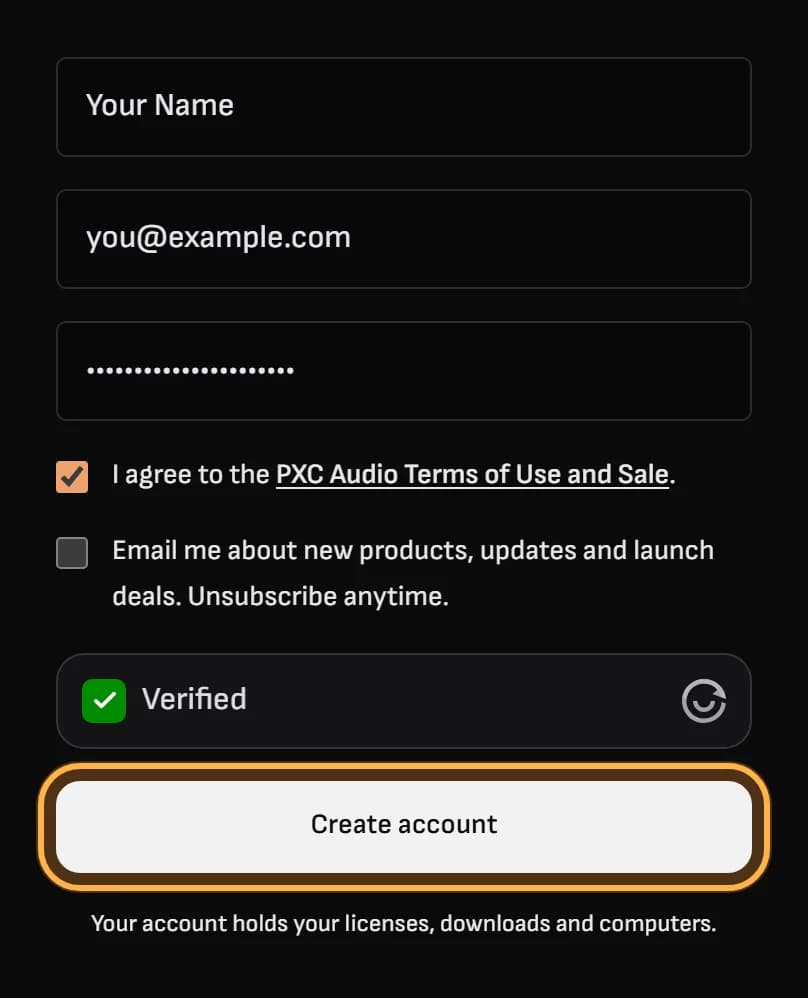
The PXC Audio account page with the Create account form filled in
pxcaudio.com/account, Create account tab.

STEP 2

Trying it first? Start your free trial

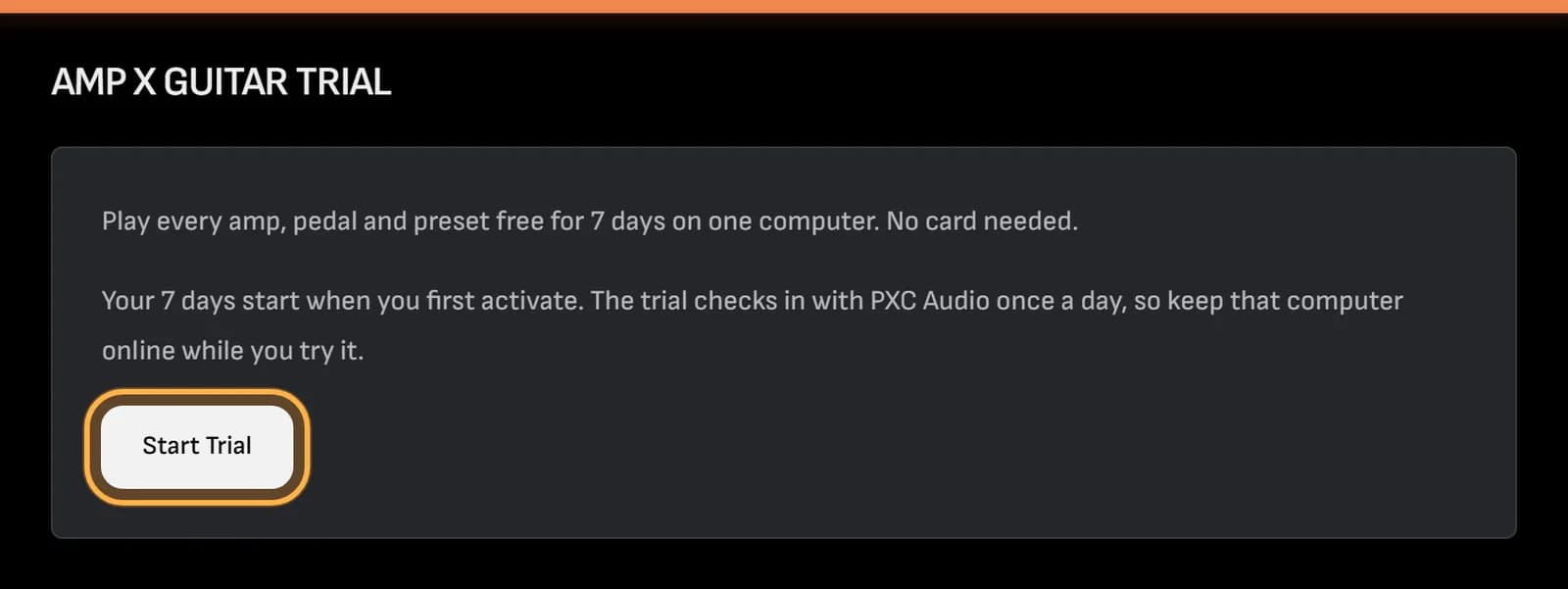
Sign in and open the AMP X Guitar trial in your account. Click Start Trial to get your key. No card needed.

Your 7 days only start when AMP X is activated on your computer in step 6, so there's no rush. During the trial, keep that computer online at least once a day.

The AMP X Guitar trial panel in a PXC Audio account with the Start Trial button
The trial panel in your PXC Audio account.

STEP 3

Download the PXC Audio Downloader

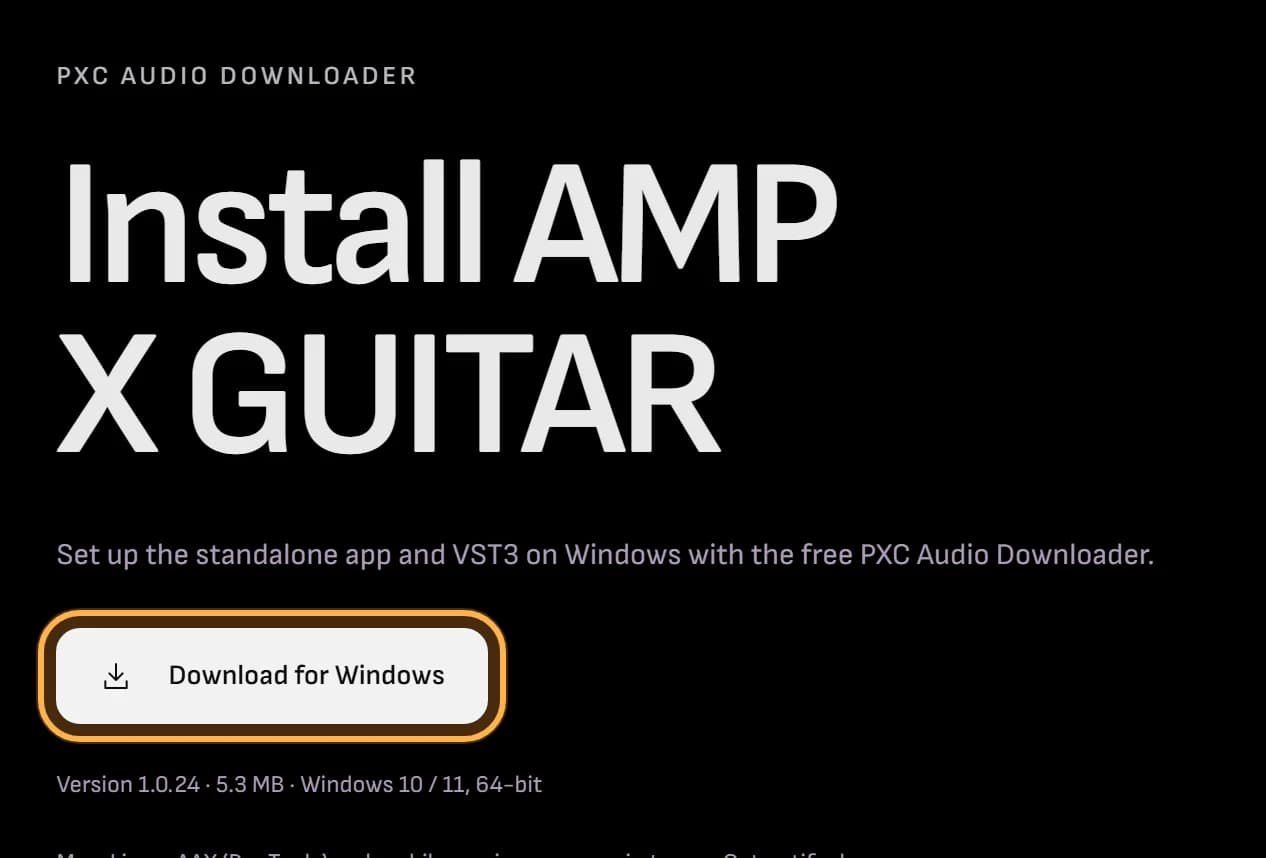
Go to pxcaudio.com/download and click Download for Windows.

The Downloader is a small free app. It installs AMP X GUITAR, activates it and keeps it up to date, so you never hunt for installers or type in keys.

The download page with the Download for Windows button
pxcaudio.com/download.

STEP 4

Run the installer

Open your Downloads folder and double-click PXC-Audio-Installer-Windows.

  1. Windows asks “Do you want to allow this app to make changes?” and shows the publisher, Patrick Crisci. Click Yes.
  2. Click Next, accept the license agreement and click Next, then Install.
  3. Leave Open PXC Audio ticked and click Finish. The Downloader opens.

STEP 5

Sign in to the Downloader

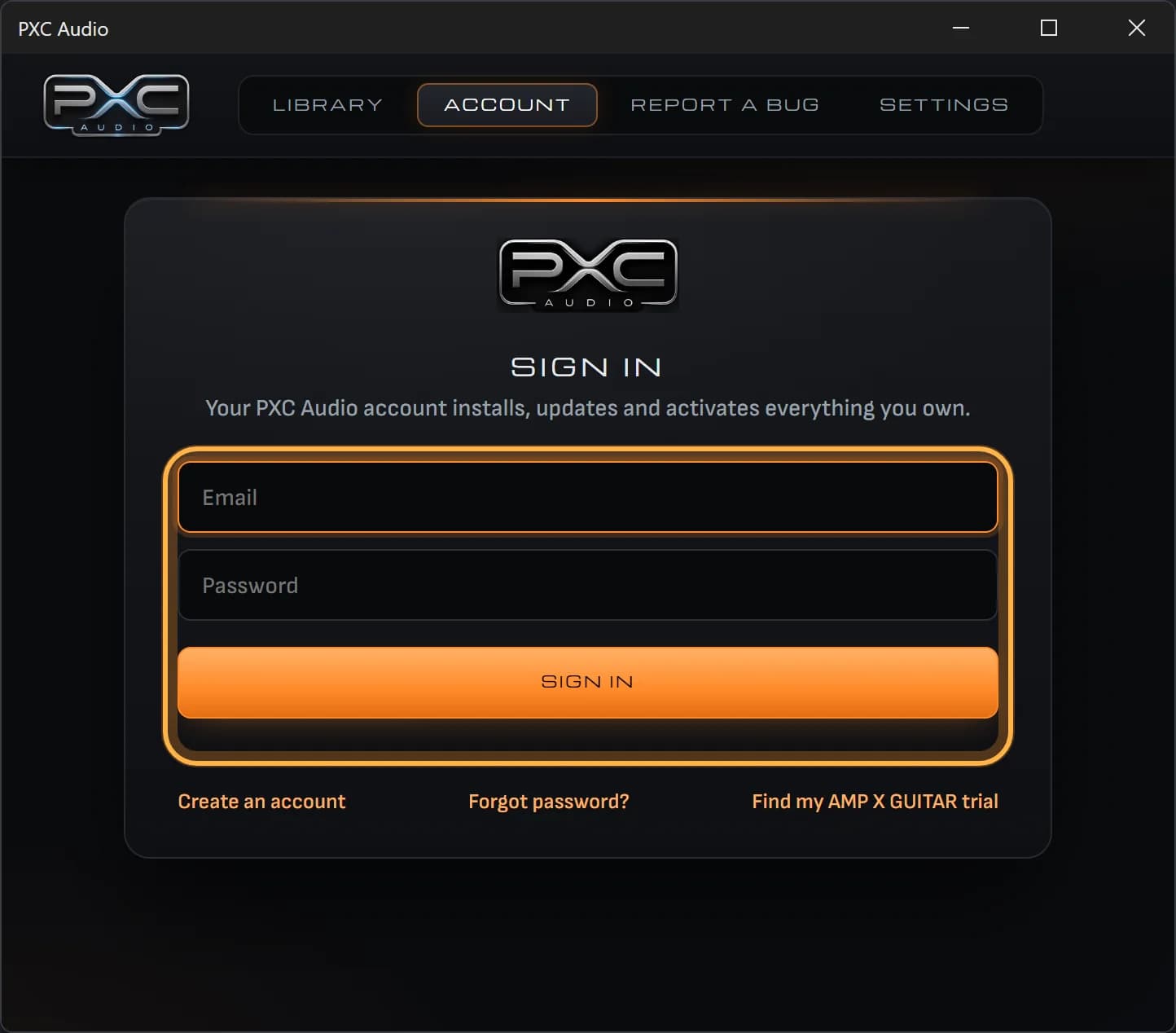
Click ACCOUNT and sign in with the same email and password as the website.

The PXC Audio Downloader's sign-in screen
The Downloader, ACCOUNT tab.

STEP 6

Click INSTALL (or INSTALL TRIAL)

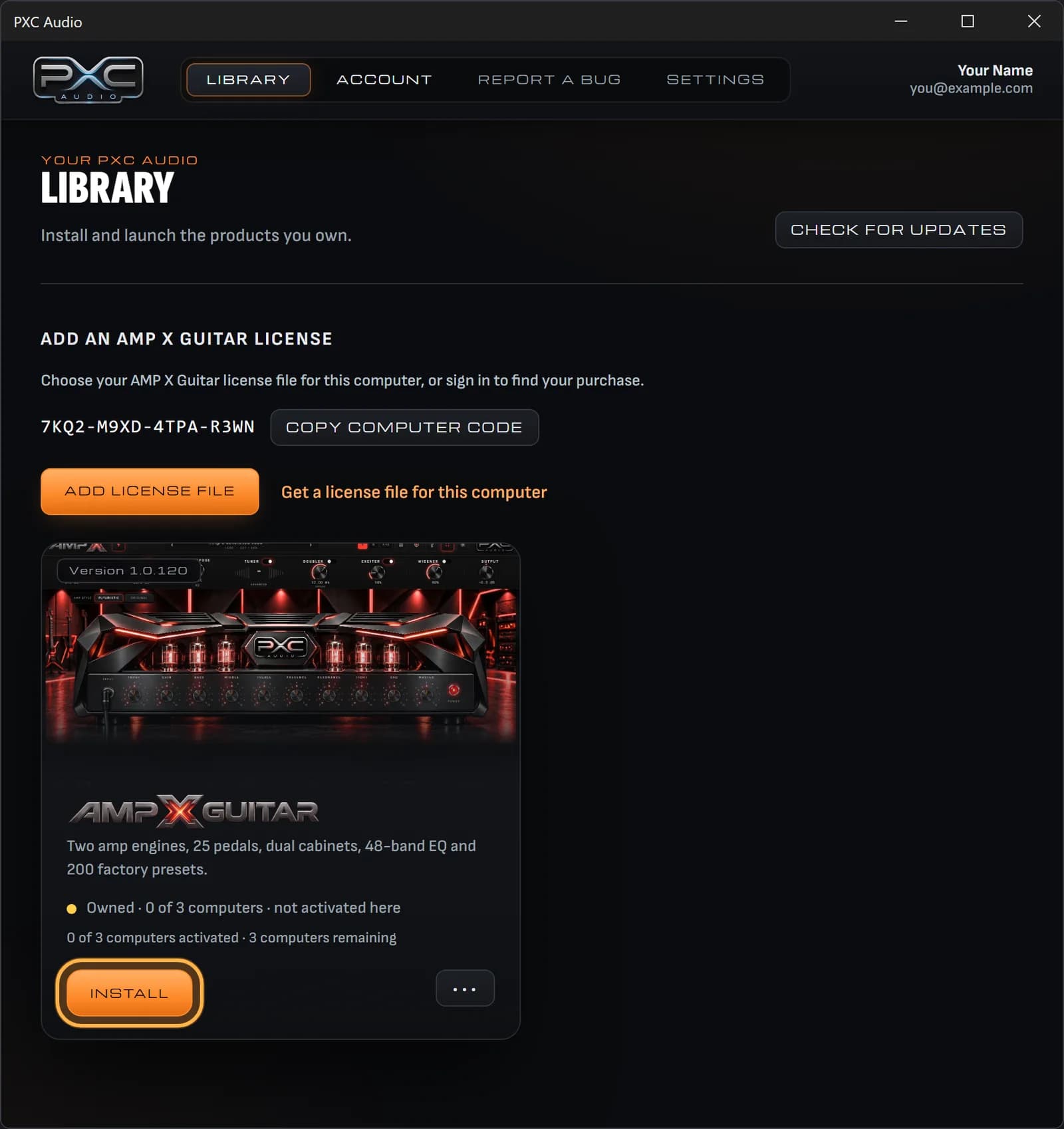
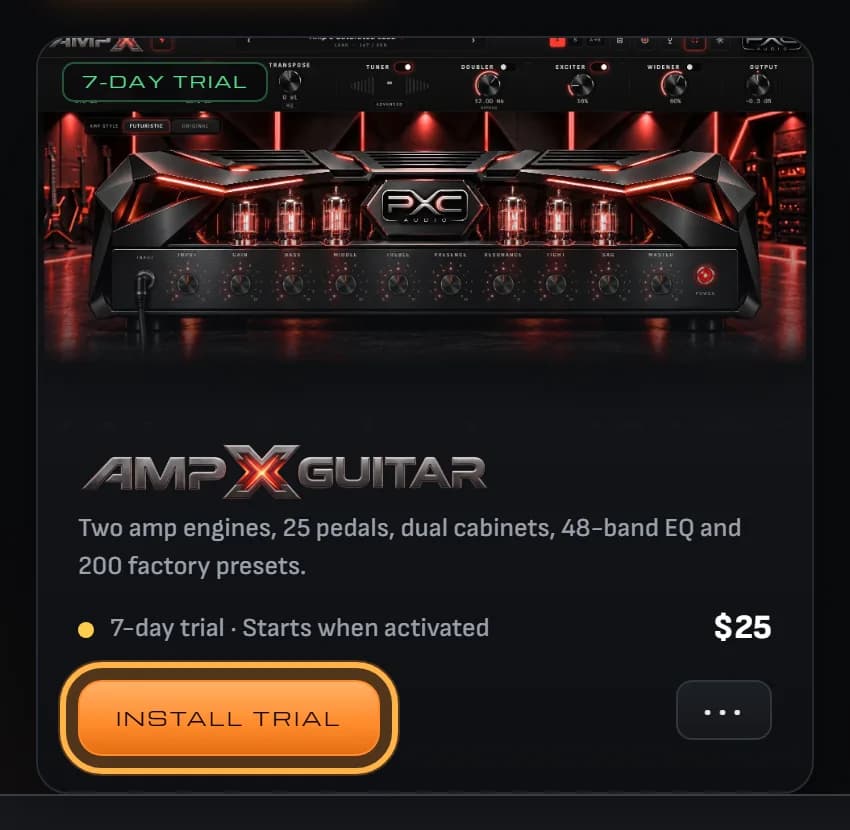
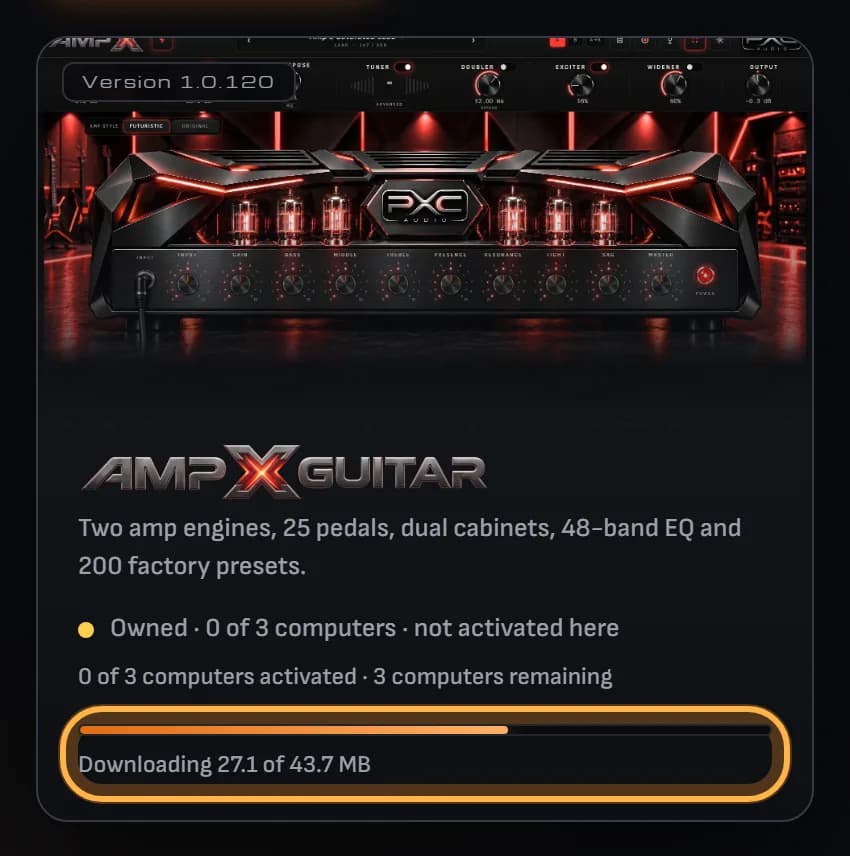
Click LIBRARY. AMP X GUITAR is waiting there. Click INSTALL (on the free trial, INSTALL TRIAL).

It downloads, then Windows asks for permission to install it: click Yes.

The Downloader activates AMP X GUITAR on this computer for you, and on the trial, your 7 days start now.

You can skip the computer code and ADD LICENSE FILE above it: they're only for computers that aren't online (see Problems & answers).

The Downloader's library with the INSTALL button on AMP X GUITAR
After buying: INSTALL.
The Downloader's library with the INSTALL TRIAL button on AMP X GUITAR
On the free trial: INSTALL TRIAL.
AMP X GUITAR downloading in the Downloader
Downloading. Windows then asks for permission: click Yes.

STEP 7

Play

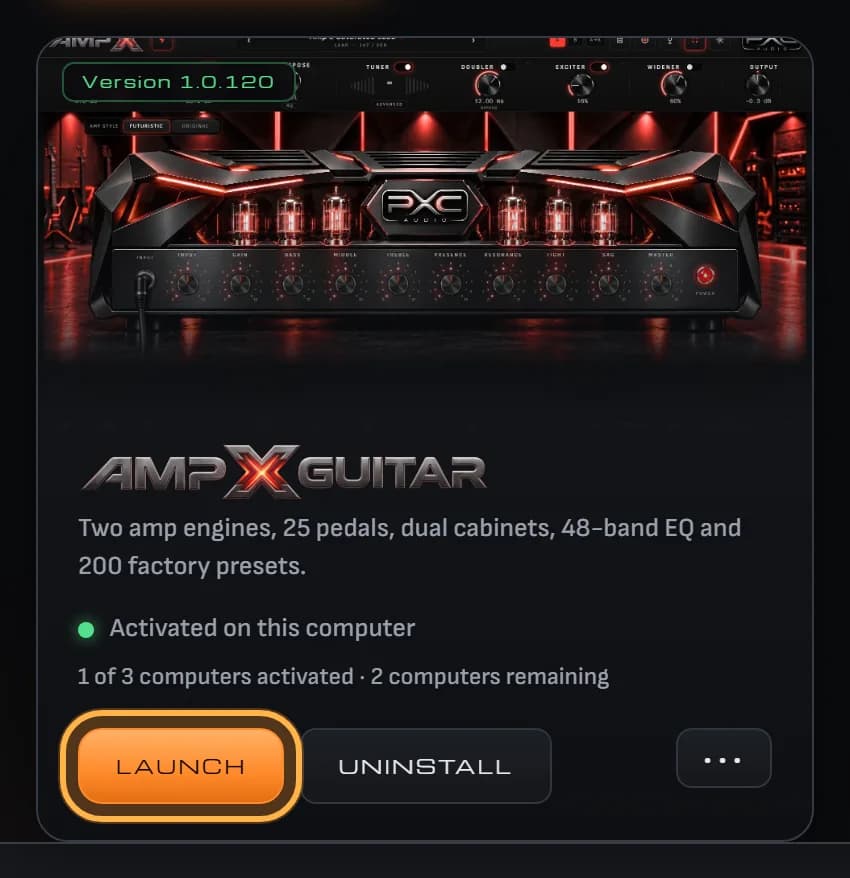
Click LAUNCH to open AMP X GUITAR on its own, no other software needed. Choose your audio interface in its settings and plug in.

Recording? Open your DAW and rescan your plugins: AMP X GUITAR is a VST3 plugin in Windows' standard VST3 folder, C:\Program Files\Common Files\VST3.

AMP X GUITAR installed and activated, with the LAUNCH button
Activated on this computer: LAUNCH opens the standalone app.

Updates

AMP X GUITAR

Update AMP X GUITAR

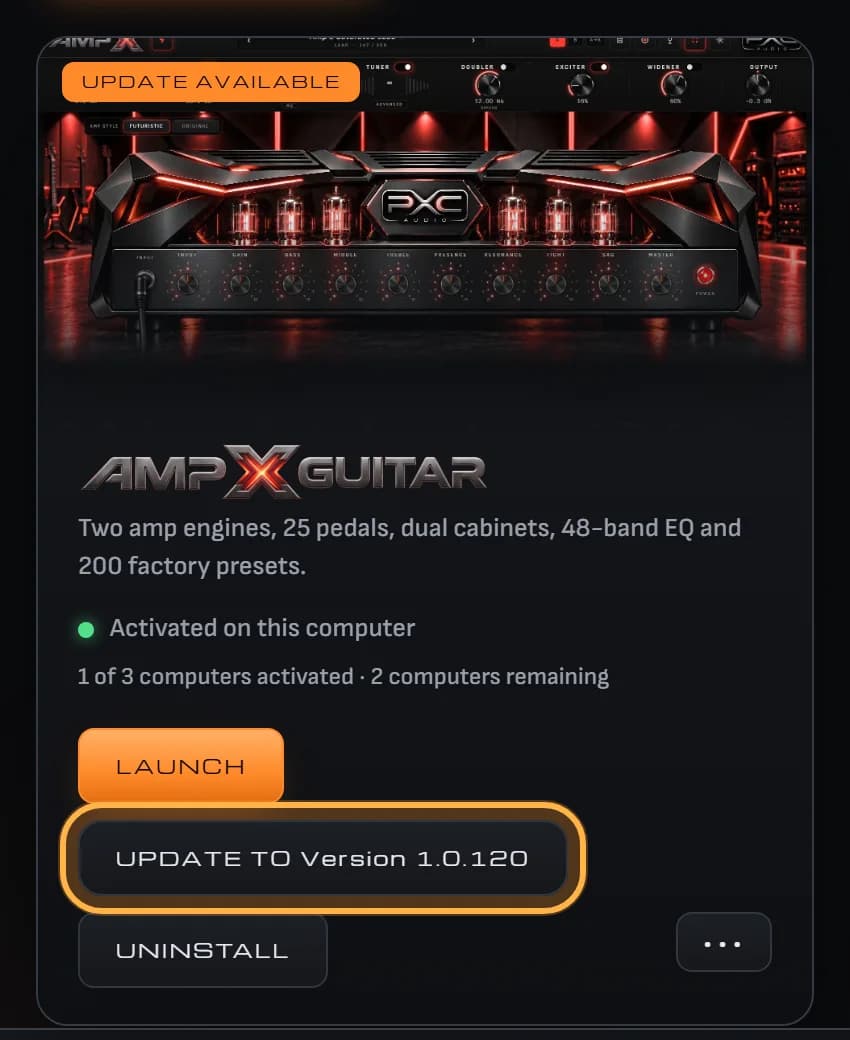
When there's a new version, the Downloader shows UPDATE AVAILABLE on AMP X GUITAR.

Save your work and close AMP X GUITAR and your DAW, then click UPDATE. Windows asks for permission: click Yes. Your presets and license stay as they are.

Don't see it yet? Click CHECK FOR UPDATES at the top of your library.

AMP X GUITAR in the Downloader with UPDATE AVAILABLE and the UPDATE button
A new version: UPDATE AVAILABLE on the card.

THE DOWNLOADER

Update the Downloader

When a new Downloader is out, a bar at the top of your library says so. Click UPDATE DOWNLOADER. It installs the new one and reopens by itself a moment later.

The Downloader's update bar with the UPDATE DOWNLOADER button
A new Downloader: the bar at the top of your library.

Changing computers

3 COMPUTERS PER LICENSE

Move AMP X GUITAR to another computer

Each AMP X GUITAR license works on 3 of your computers at a time. New computer and all 3 in use? Free one first.

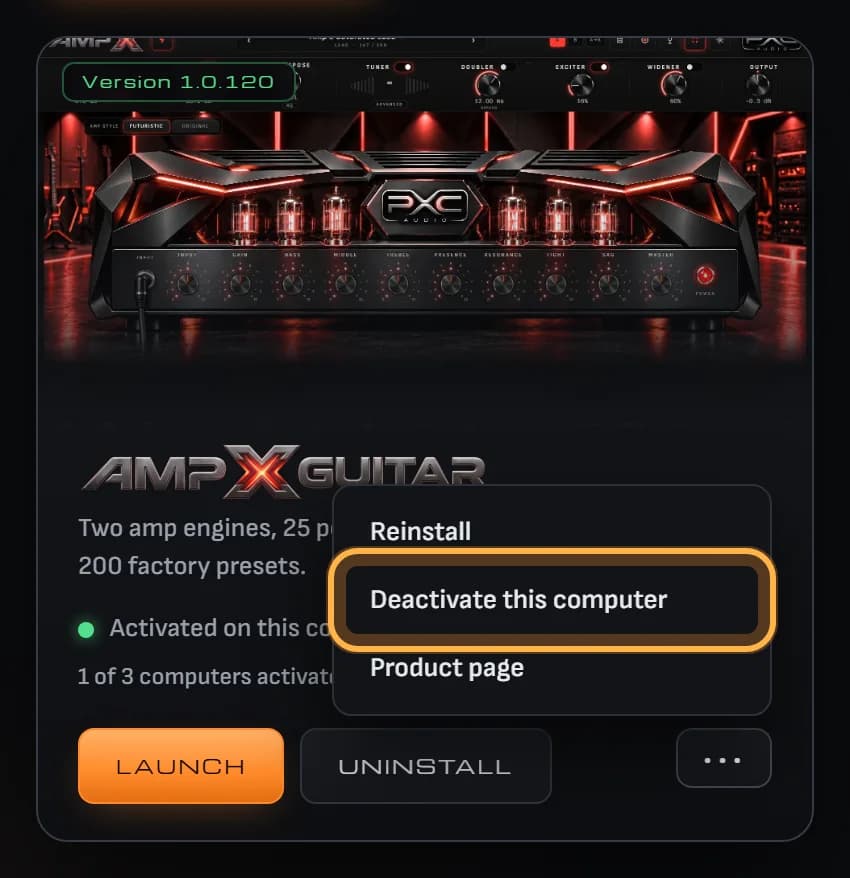
On the old computer: in the Downloader, click ••• on AMP X GUITAR, then Deactivate this computer.

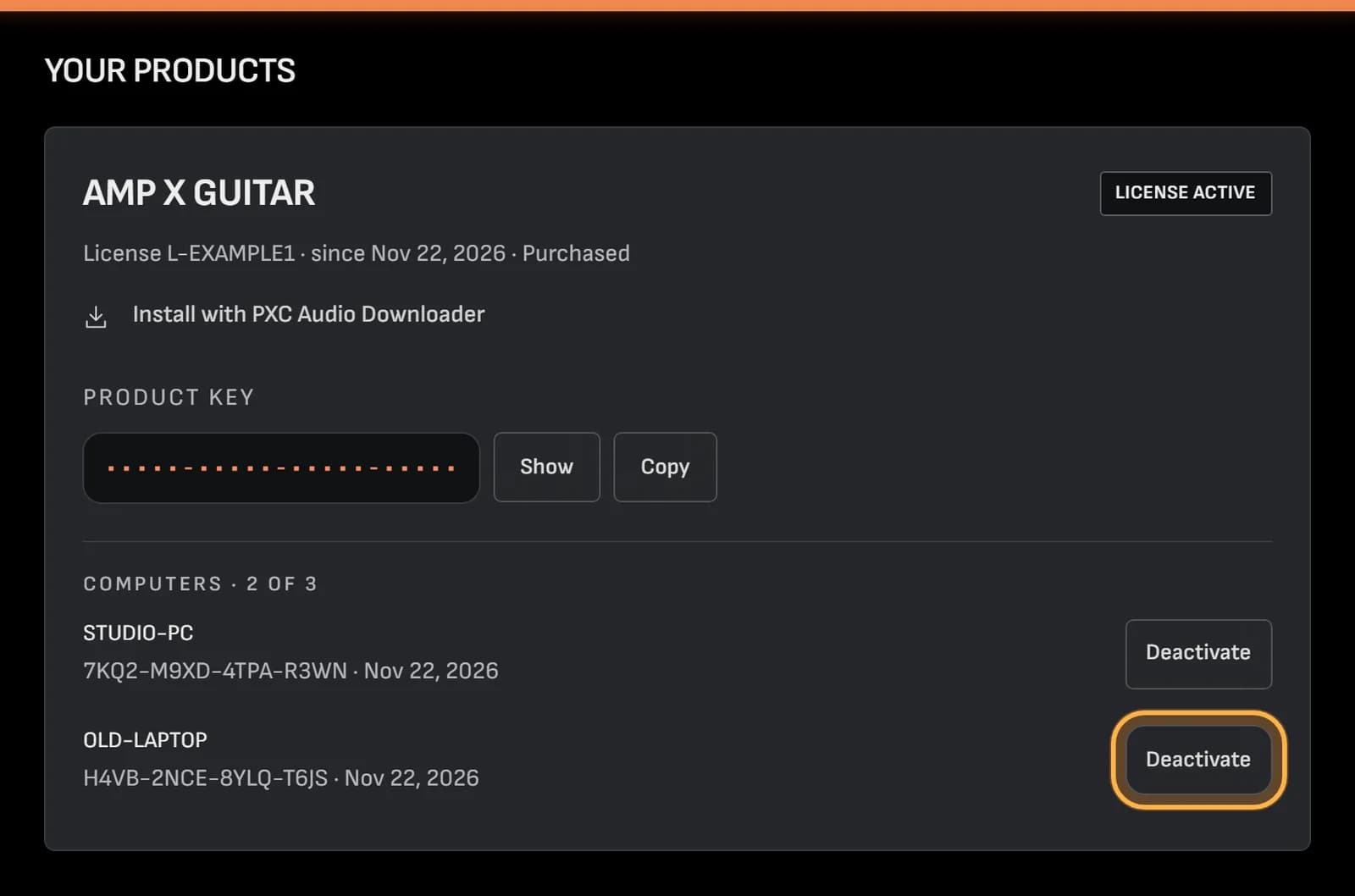
Old computer gone or broken? Sign in at pxcaudio.com/account, find it under Your products and click Deactivate.

Then install on the new computer as above.

The Downloader's ••• menu with Deactivate this computer
On the old computer: ••• then Deactivate this computer.
Your products in a PXC Audio account, listing two computers with Deactivate buttons
Without the old computer: Deactivate it in your account.

Problems & answers

AMP X GUITAR doesn't show up in my DAW.+

Close your DAW, open it again and rescan your plugins (most DAWs have a "rescan" button in their plugin settings). AMP X GUITAR is a 64-bit VST3 plugin in Windows' standard VST3 folder, C:\Program Files\Common Files\VST3, so make sure your DAW scans that folder and supports VST3.

I didn't get the email to confirm my account.+

Check your spam or junk folder first. Then sign in at pxcaudio.com/account and click "Send the link again". If a link has expired, opening it gives you a button for a fresh one. Still nothing? Write to us from the support page and we'll confirm it for you.

My studio computer isn't online.+

Use a license file. In the Downloader on that computer, click COPY COMPUTER CODE. On any computer that's online, sign in at pxcaudio.com/account, go to License file, paste the code and download the file. Back on the studio computer, click ADD LICENSE FILE in the Downloader and choose it. (License files are for purchased copies: the free trial needs the internet once a day.)

Windows says "Windows protected your PC".+

That's Windows SmartScreen, which is cautious about new downloads. Click More info, check that the publisher is Patrick Crisci, then click Run anyway. Only do this for files you downloaded from pxcaudio.com.

I hear a delay when I play. How do I lower the latency?+

In your DAW, choose your audio interface’s ASIO driver (see Windows audio drivers below) and a buffer of 128 samples, or 64 if your computer keeps up. If you hear clicks or crackles, raise it one step. In the AMP X GUITAR standalone, update to the newest version with the PXC Audio Downloader, then open Audio/MIDI Settings and leave SHARE WITH OTHER APPS off. AMP X then uses the fastest Windows mode and the smallest buffer that plays cleanly by itself. Tick SHARE WITH OTHER APPS only when you want YouTube or music to play along: Windows then adds its own delay, often 60 ms or more. Inside AMP X, a few settings add a little delay: set AMP OVERSAMPLING to 1X or 2X, keep the EQ’s LINEAR phase off, and turn LOOKAHEAD down on Shadow Lock and Iron Ceiling while you play live. If you hear your clean guitar under the amp, turn off direct monitoring on your interface. Still feels slow? Send us a report on the support page with your interface, DAW, buffer size and sample rate.

Something else isn't working.+

In the Downloader, click REPORT A BUG and tell us what happened, or use the form on the support page. We read everything.

Windows audio drivers

Use your audio interface manufacturer’s ASIO driver when available. If your interface has no native ASIO driver, ASIO4ALL is an optional, free Windows driver. After installing it, select ASIO4ALL v2 in your DAW or other ASIO-capable app’s audio settings.

The AMP X GUITAR standalone doesn’t use ASIO yet. It picks the fastest Windows mode by itself while SHARE WITH OTHER APPS is off in Audio/MIDI Settings. Close the standalone while your DAW uses the same interface.

Download ASIO4ALL from the official site

Still stuck? Contact support. Tell us your Windows version and what you see, and we'll get you playing.