
Amp X · Modeled
Clean, Crunch and Lead. Vintage, Modern and Hybrid voicings, with Bright, Presence, Resonance, Tight and Sag.
PXC AUDIO · GUITAR AMP & EFFECTS

Professional tone in seconds, 200 Mix Ready Presets, Two amp engines, 25 Powerful FX pedals, Dual cabinets and a 48-band EQ.
Windows 10 / 11 · VST3 + standalone · Three computers · Mac, Linux, AAX & mobile coming soon
THE AMPS
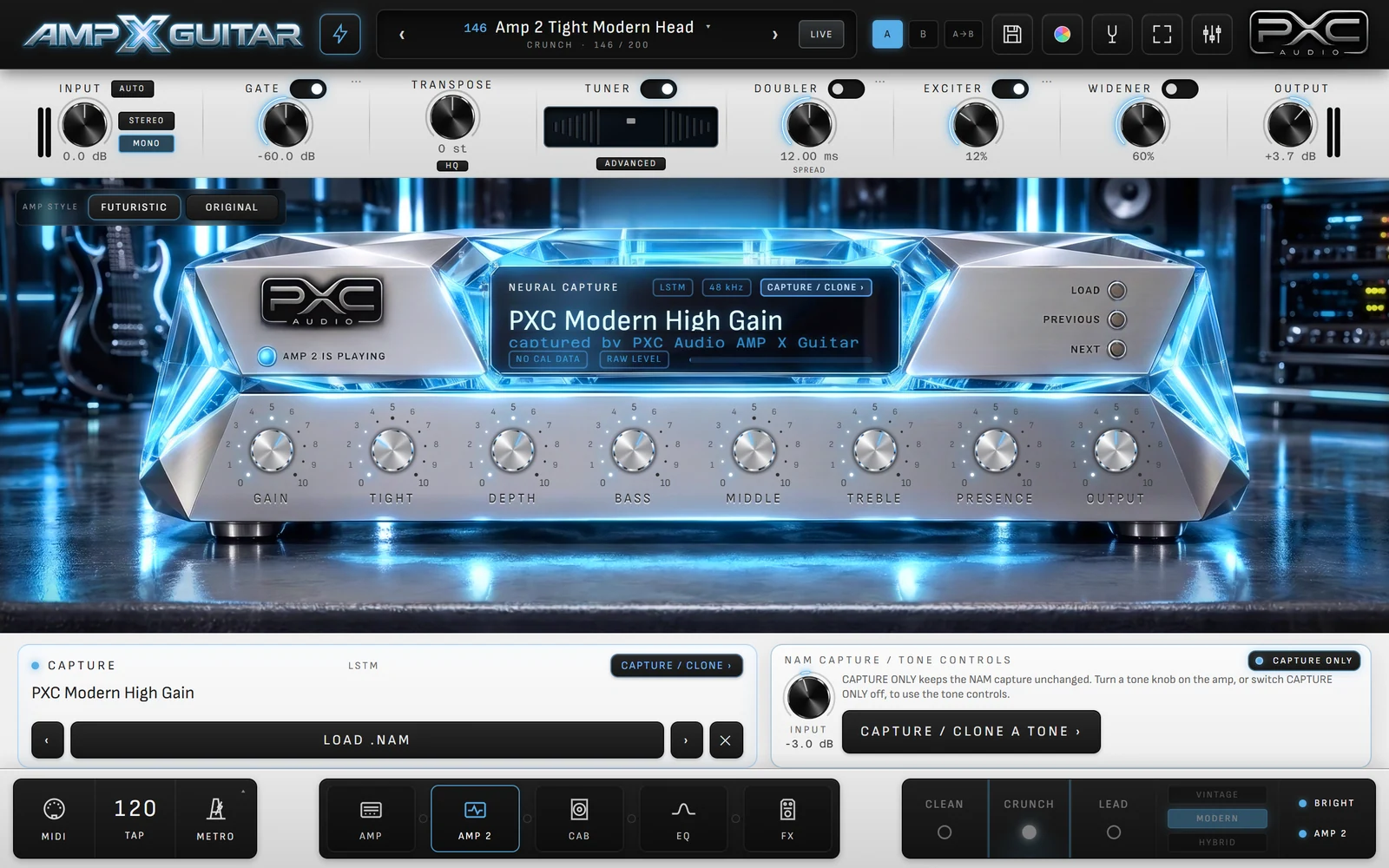
Switch between modeled tube tone and NAM captures. Choose an Original or Futuristic face for either amp.
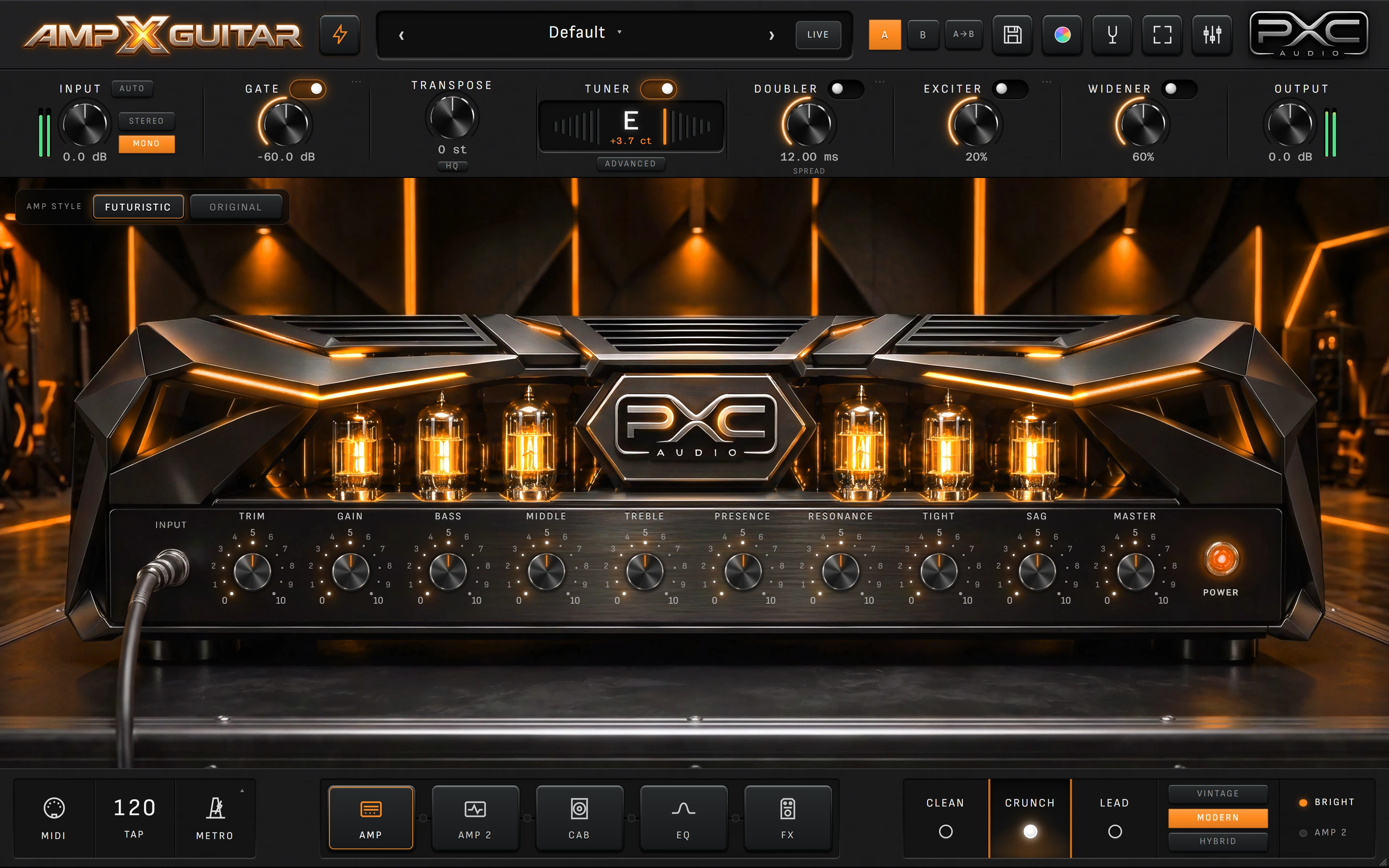
Clean, Crunch and Lead. Vintage, Modern and Hybrid voicings, with Bright, Presence, Resonance, Tight and Sag.
Load NAM captures with raw Capture Only playback, or use optional tone shaping, calibration and normalization. Start with ten included models, or capture and train your own amp.
EFFECTS & PRESETS
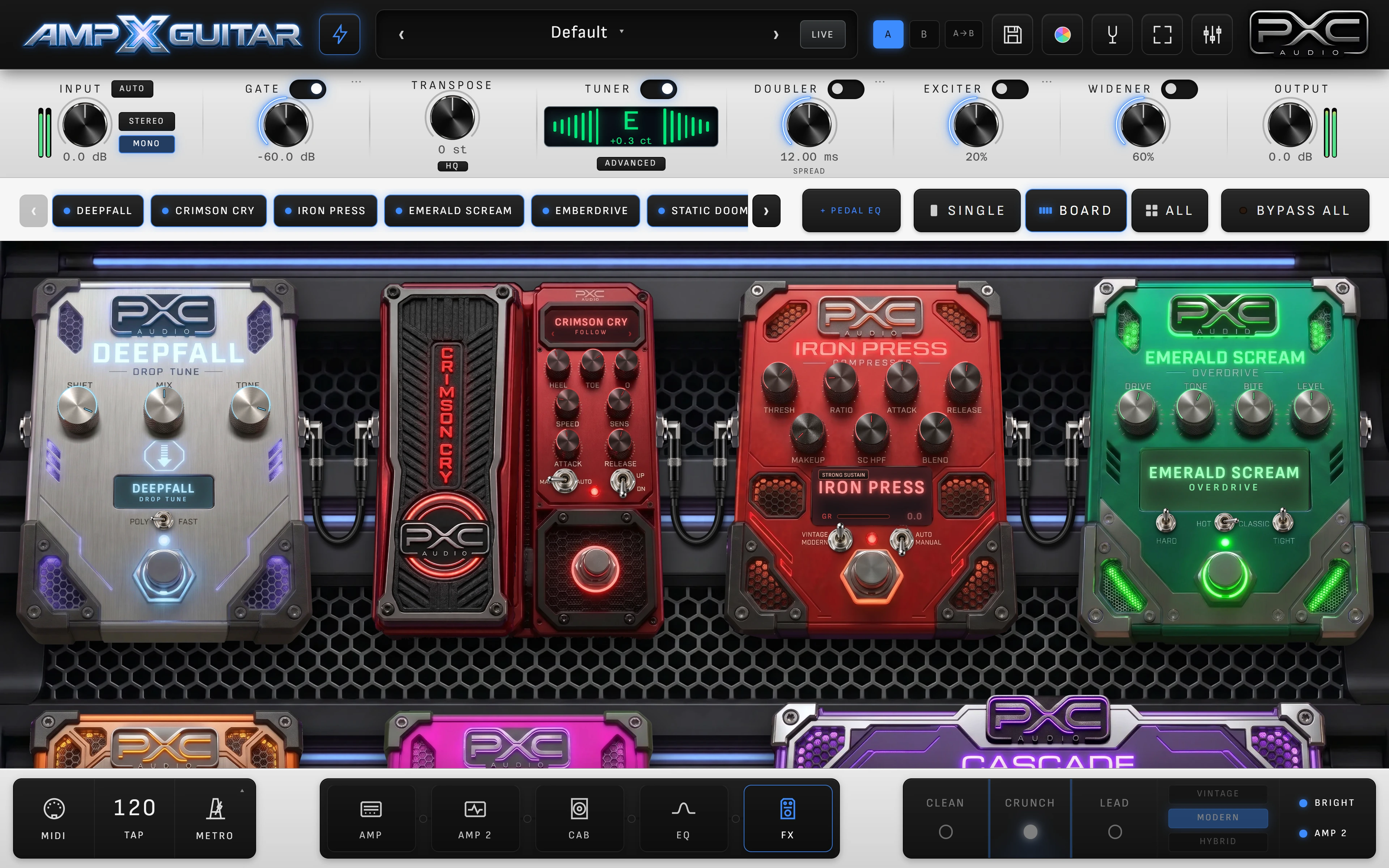
Pitch bends with BENDER, layered choir tones with GHOST and vinyl scratching with CHOPPER. Arrange all 25 pedals and Pedal EQ anywhere in the chain.
READY TO PLAY
Start with a factory sound, save your own in My Presets, or find more through PXC Tones.
Explore community tonesShowing 12 of 200 presets
Warm vintage combo crunch for chord work and roots riffs. An open-back speaker and a short room give the chords space while keeping the pick attack clear.
Each fresh guitar hit moves CHOPPER's vinyl forward and back once. The platter uses the sound arriving at the pedal, with the dry guitar muted at full mix.
A full GHOST AAH ensemble blooms behind the clean guitar into a large CATHEDRAL VEIL Hall with Dimension. Let a chord ring, then mute it to hear the hall decay.
Tight, articulate modern prog-metal: a hard-clipped boost and a compressor into a maxed modern head, two contrasting 4x12s blended, and a deep low shelf so chugs hit hard.
Seven-string thall without a seven-string: DEEPFALL in chord-friendly POLY drops you to A standard, with a tight boosted modern head and focused mids.
An open, uncompressed American-style clean: full lows, a sparkling top that follows every pick, and a long plate that turns open chords into a room-filling glow.
Every control flat: the standard heavy rhythm sound. Start here and shape it.
The late-90s bounce in your own tuning (no pitch shifting): the mids scooped right out, a huge low end and a bright, boingy top through a scooped American 4x12.
An aggressive, mid-forward high-gain assault with zero pitch shifting: a boosted, ultra-tight head that keeps its teeth and punch in a dense mix.
A huge, double-tracked rhythm wall: two different 4x12s hard left and right and a doubled take on the sides, moderate gain so big chords stay clear.
Crushing and precise, tuned down to A: a tight, boosted modern head, a glassy top and real width.
Tight riffs that bloom into ambience: a ducked dotted-eighth ping-pong and a long hall around a modern high-gain head, so the riffs stay tight and the gaps glow.
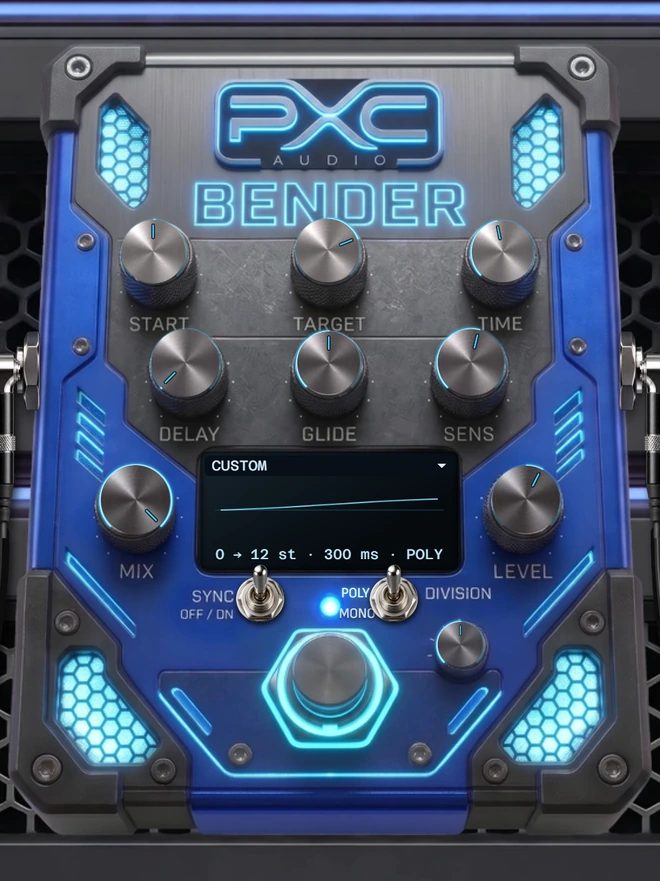
Pick a note to bend from a starting pitch to a target interval. Set the bend time and glide, and the pitch holds at the target until the next pick.
Key controlsStart, Target, Time, Delay, Glide, Sensitivity, Mix and Level. Tempo sync, division and poly / mono tracking.
Try itTry a slow downward bend for single-note lines, or use poly mode for a chord rise.
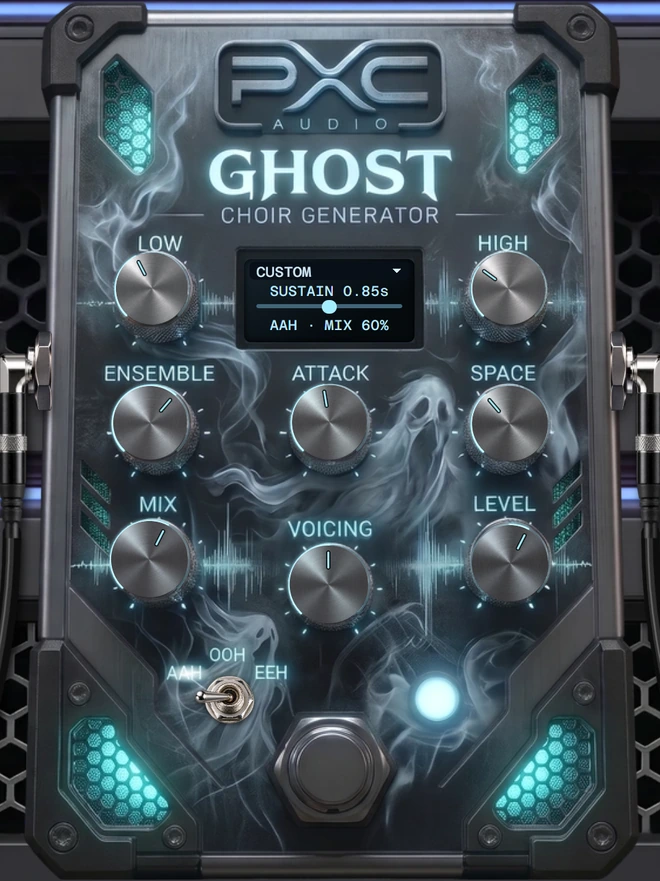
Turn notes and chords into layers of vocal-like harmony. Blend the choir into your guitar, or let the voices carry the sound on their own.
Key controlsLow, High, Ensemble, Attack, Space, Mix, Level, Voicing and Sustain. AAH, OOH and EEH vowels.
Try itStart with an ambient preset such as Dimension Choir, then set the ensemble size and sustain to suit the part.
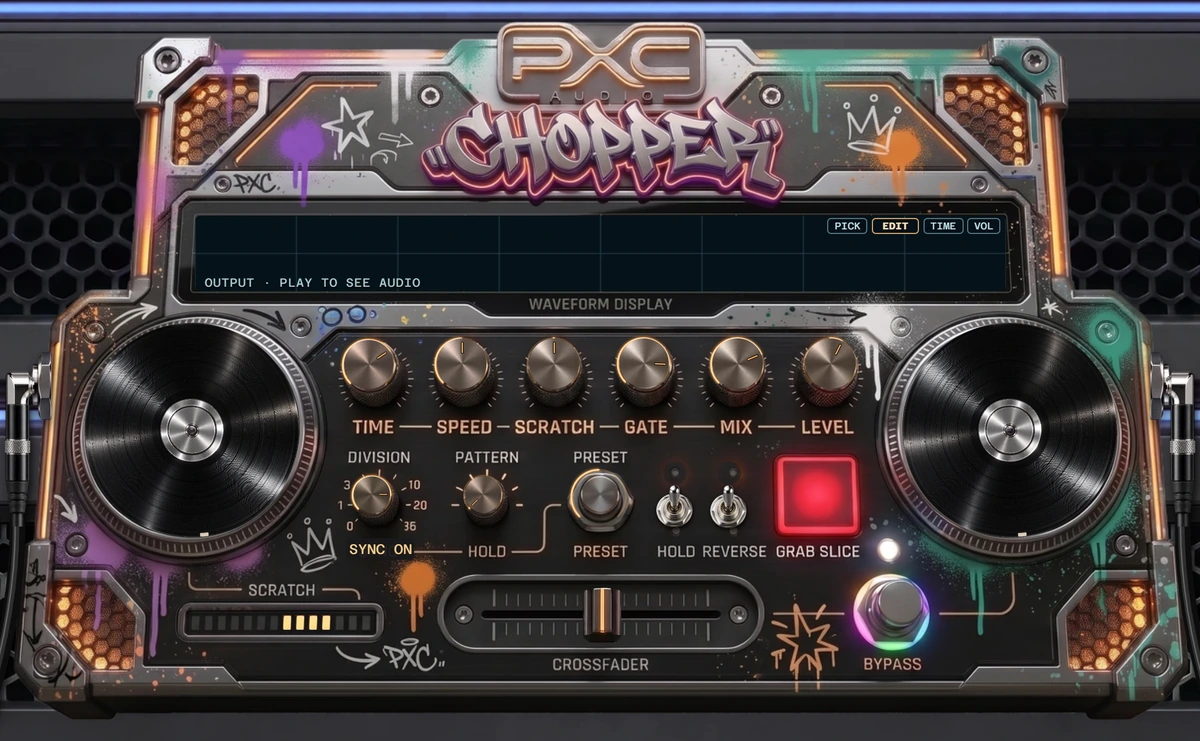
Drag the records to scratch the sound reaching the pedal. In Pick mode, a guitar hit drives one forward-and-back stroke using the same platter. Draw time and volume curves for tempo-synced cuts, repeats and tape stops.
Key controlsTime, Speed, Scratch, Gate, Mix and Level. Pattern, Division, Hold, Reverse, the crossfader and the time / volume editor.
Try itTry CHOPPER Vinyl Scratch. At 100% Mix you hear the scratch alone, and grabbing the record takes over from Pick mode.
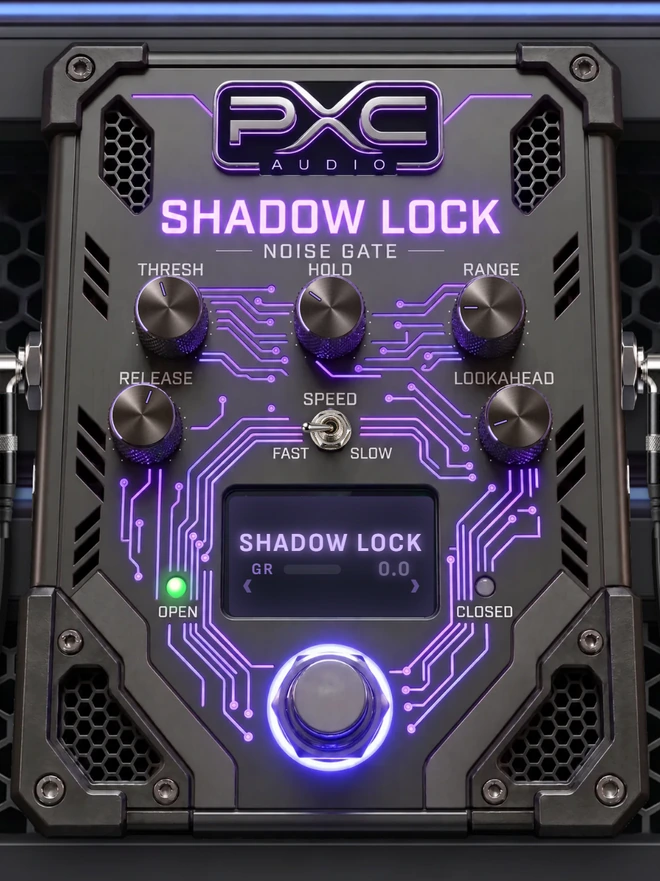
Quiet the space between phrases without changing your whole rig. Adjust when the gate opens and how it closes to suit sustained notes or tightly muted rhythms.
Key controlsThreshold, Release, Hold, Range, Lookahead; Fast / Slow response.
Try itStart with a low threshold, then raise it until idle noise stops. Use a gentler release when you want notes to decay naturally.
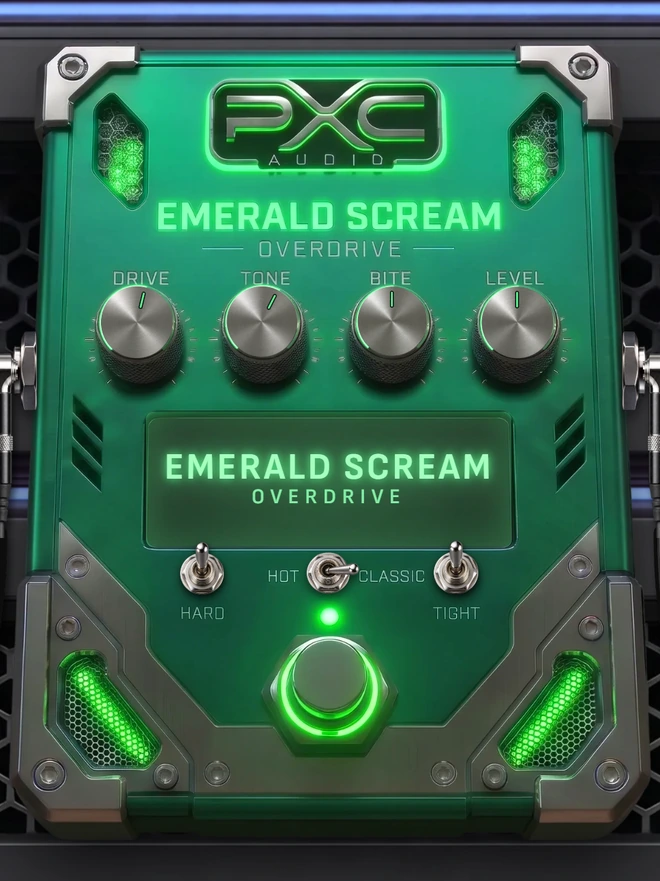
Push a clean amp into grit, or tighten a heavier channel before it hits the amp. Drive sets the breakup, while Tone, Bite and the voicing switches shape the attack.
Key controlsDrive, Tone, Level, Bite; Hot, Hard and Tight switches.
Try itFor a tight rhythm boost, start with less Drive and more Level, then adjust Tone to your guitar.
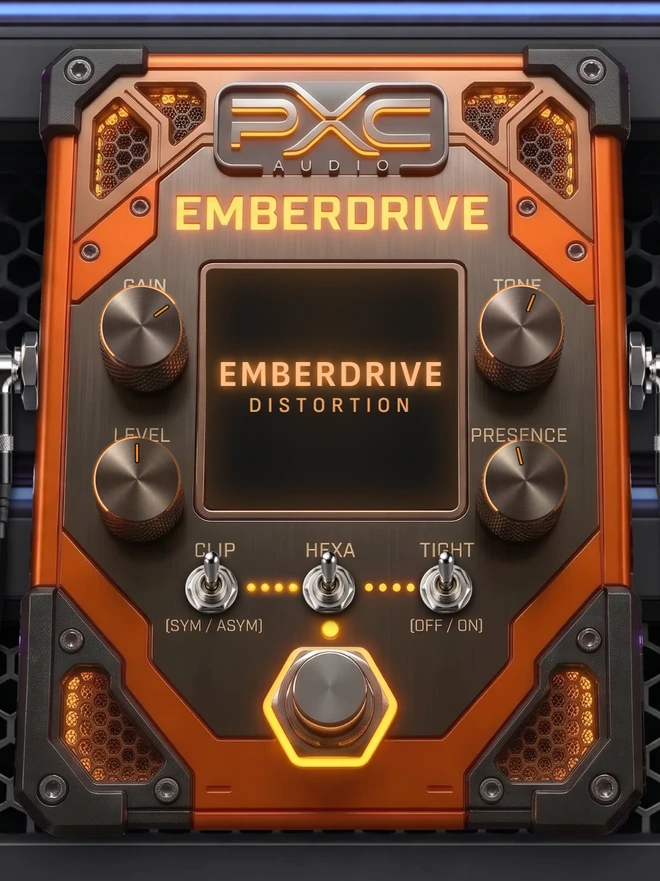
Add a separate layer of distortion in front of your amp. Shape its brightness and attack with Tone and Presence, and explore the clipping, Hexa and Tight options.
Key controlsGain, Tone, Level, Presence; clipping, Hexa and Tight options.
Try itStart with a clean or low-gain amp so you can hear the pedal itself. Match the Level before comparing clipping options.
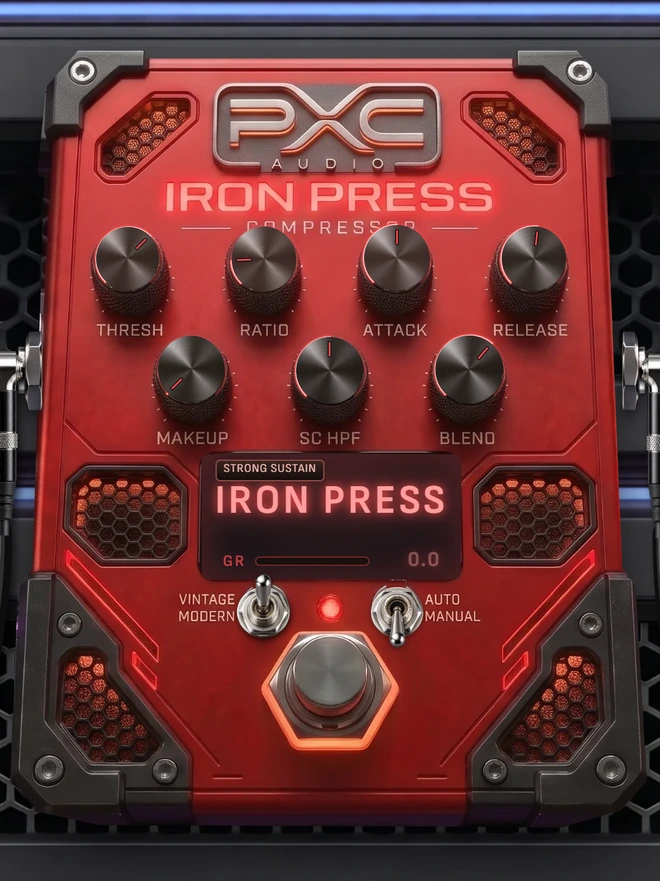
Studio compression with parallel blend and a sidechain high-pass, so the lows never pump.
Key controlsThreshold, Ratio, Attack, Release, Makeup, Blend, sidechain high-pass; voicing and auto controls.
Try itLower Threshold until gain reduction responds to your picking. Use Blend to keep some dry attack, then match the output with Makeup.
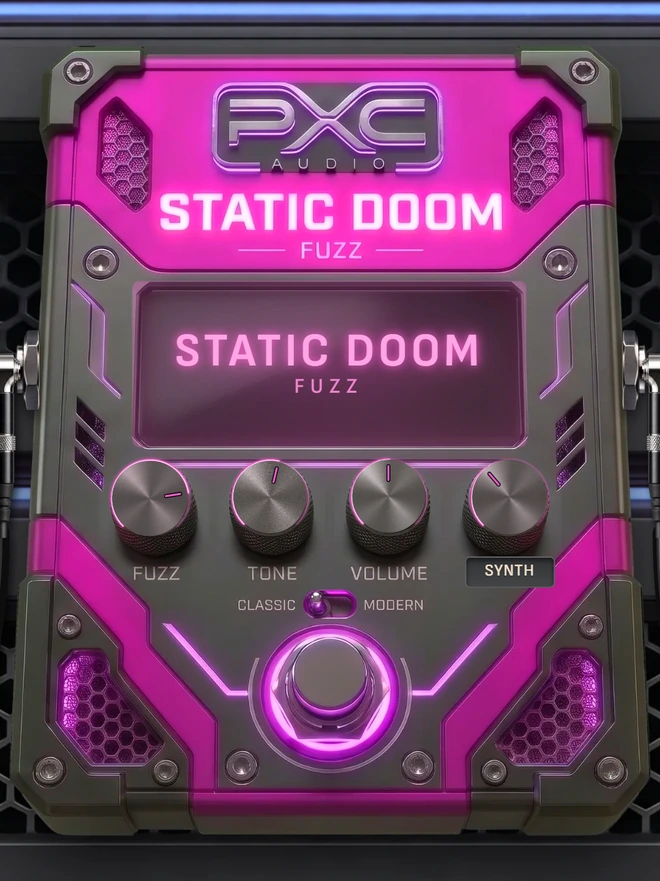
Thick, woolly fuzz. Its Synth control turns it into a buzzing, gated monster.
Key controlsFuzz, Tone, Volume, Synth; Classic / Modern voicing.
Try itStart with the Sludge Octave factory preset to hear Octavia feeding Static Doom, then adjust Synth to taste.
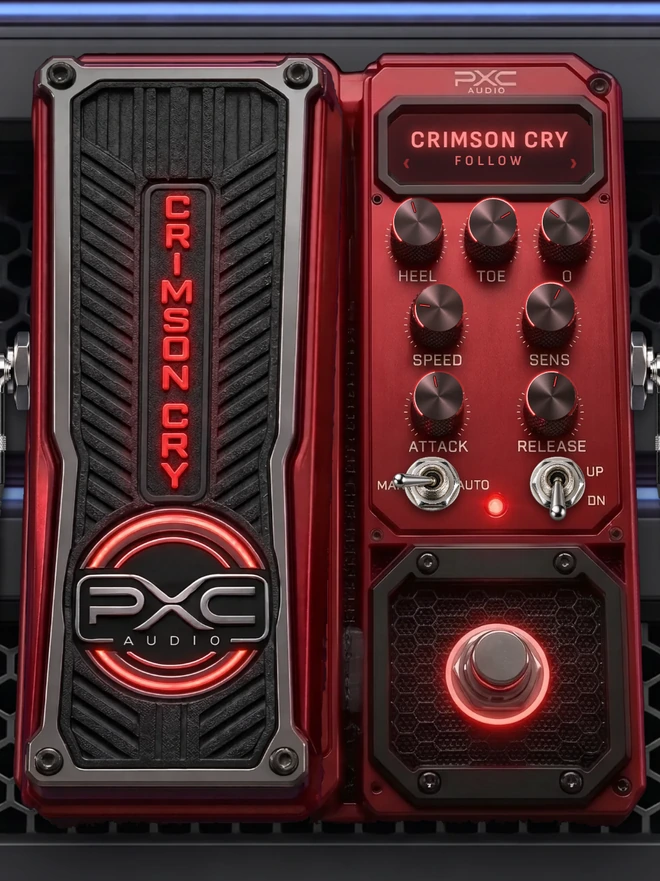
Sweep a resonant filter with the on-screen treadle or let the envelope follow your picking. Heel, Toe and Q define the range and intensity of the wah.
Key controlsHeel, Toe, Q, Speed, Sensitivity, Attack and Release; manual / automatic operation.
Try itFor an expressive envelope sound, adjust Sensitivity to your pickups, then use Attack and Release to shape the sweep.
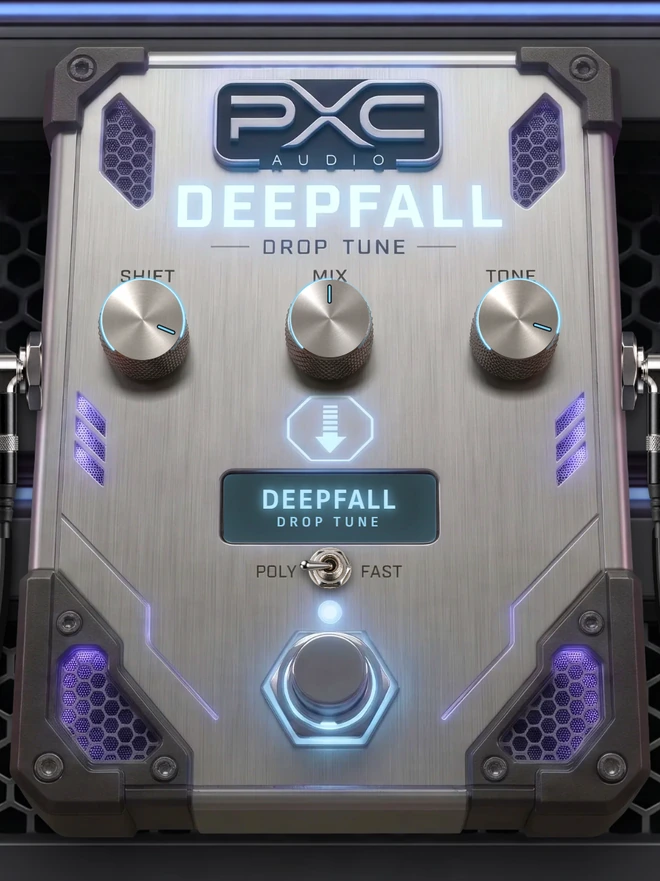
Tune down without retuning. Polyphonic, with Warm to keep the low end natural.
Key controlsShift, Mix, Warm; FAST / POLY modes.
Try itChoose POLY when playing chords and compare FAST for single-note parts. Start with a small drop and listen at your normal playing buffer size.
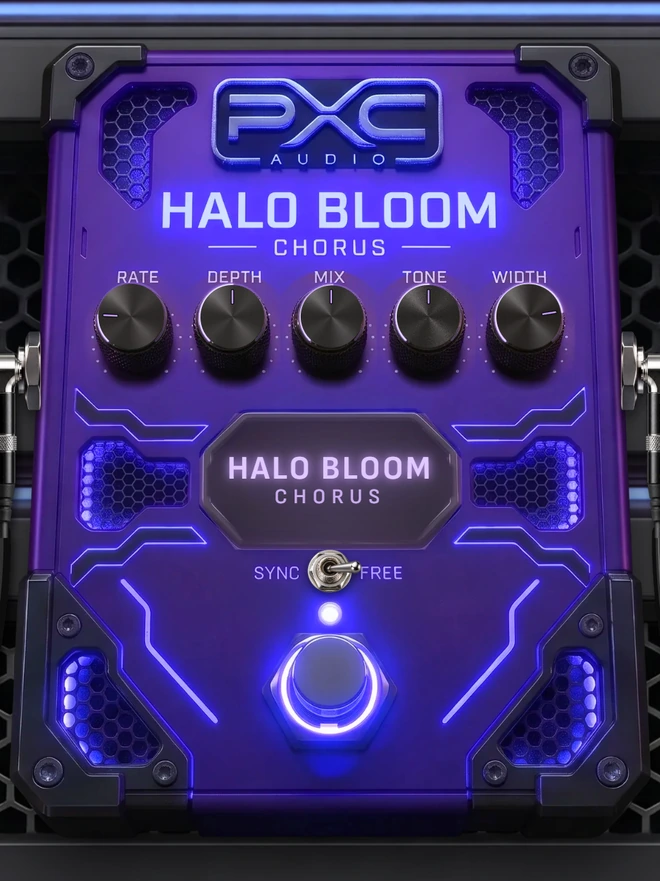
Thicken clean parts or add a wider moving layer to driven sounds. Depth and Width set the size of the movement; Tone keeps the wet signal bright or warm.
Key controlsRate, Depth, Mix, Tone, Width; tempo sync.
Try itFor a subtle double-tracked feel, start with low Depth and Mix. Use more Width on a stereo output.
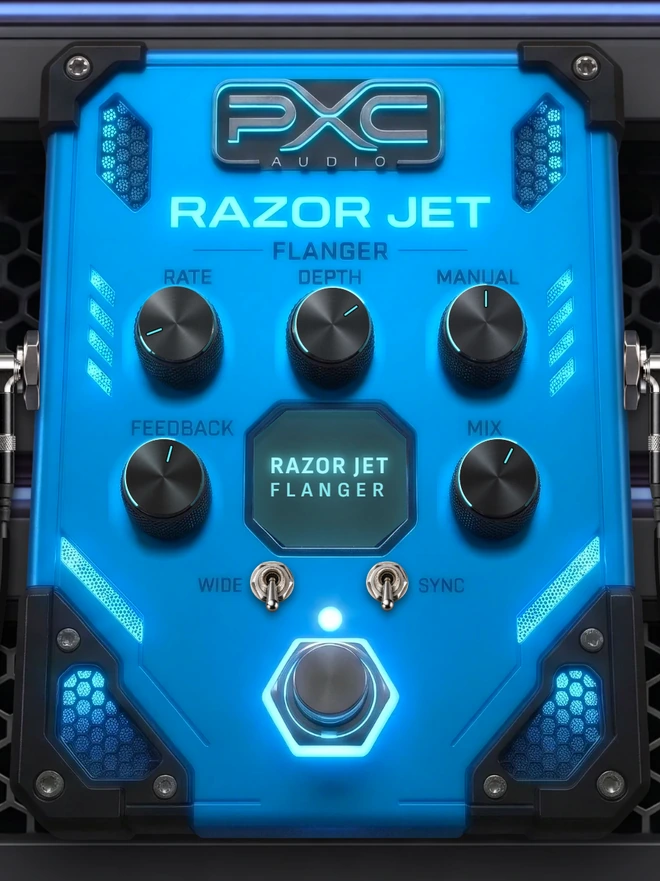
Create moving comb-filter sweeps, from a gentle metallic edge to a pronounced jet effect. Manual sets the starting position and Feedback controls the intensity.
Key controlsRate, Depth, Manual, Feedback, Mix; Wide and Sync switches.
Try itKeep Feedback modest for rhythm parts, or increase it for a more resonant sweep. Try Wide with stereo cabinets.
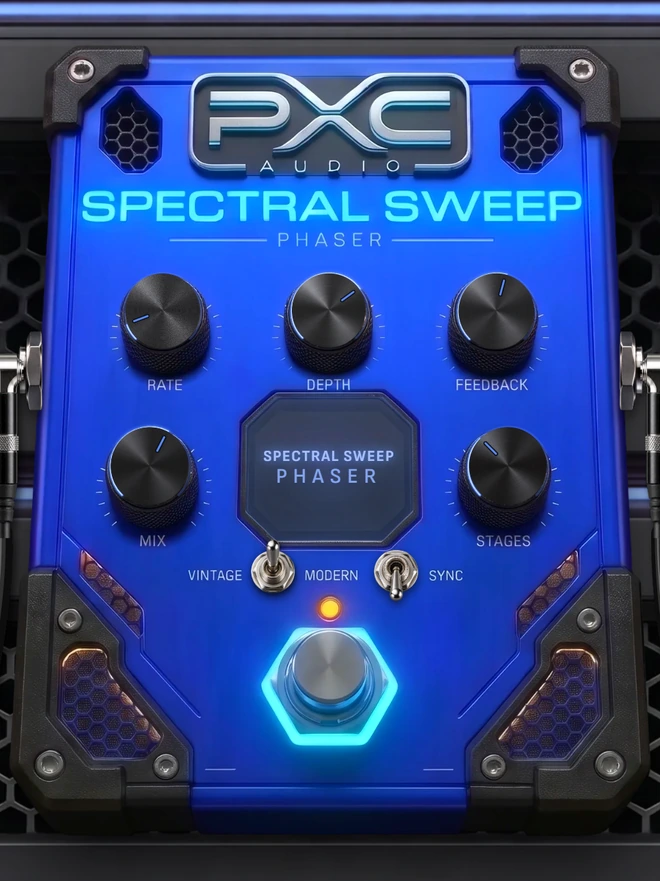
Add a sweeping, hollow movement to clean or distorted guitar. Choose the stage setting and voicing, then balance movement and resonance with Depth and Feedback.
Key controlsRate, Depth, Feedback, Mix, Stages; voicing and sync options.
Try itUse a slower Rate for broad chord movement. Lower Mix if you want the original pick attack to stay forward.
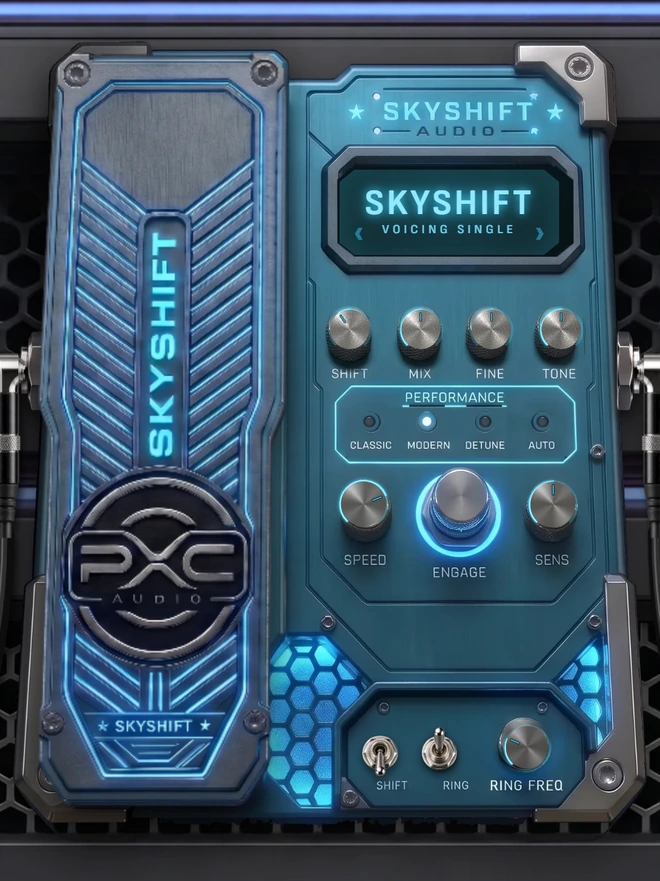
Build shifted voices, octave leads and treadle-controlled dives. Fine tuning, performance choices and ring modulation offer different ways to turn a guitar part into a new texture.
Key controlsShift, Mix, Fine, Tone, Ring, Speed and Sensitivity; voice and performance choices.
Try itStart with a single shifted voice and a little dry blend. Use the treadle for a moving interval instead of a fixed pitch.
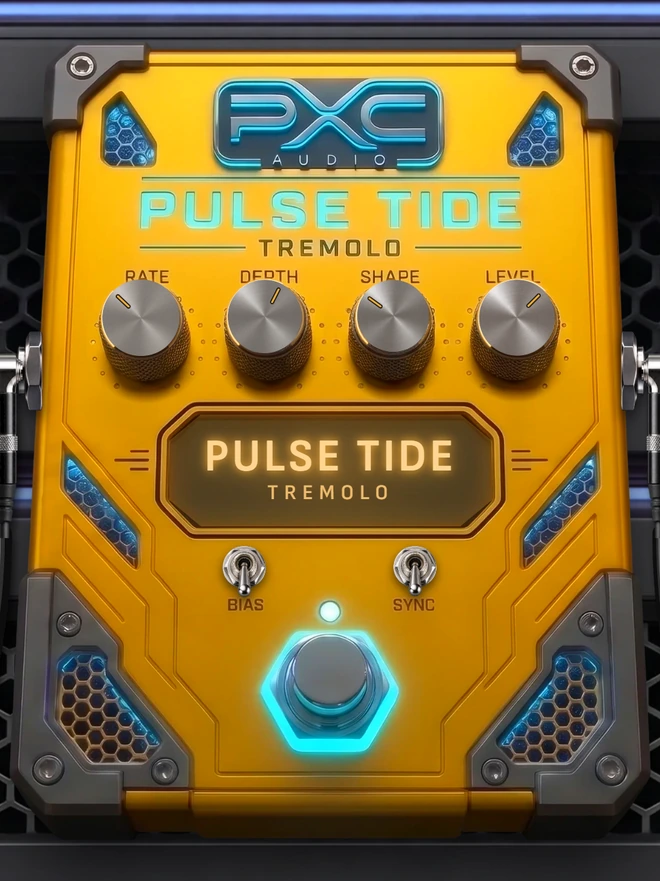
Pulse the volume from a smooth rise and fall to a sharper chop. Shape and Bias change the feel, while tempo sync locks the movement to a song.
Key controlsRate, Depth, Shape, Level; Bias and Sync switches.
Try itSet a synced rate and increase Depth for a rhythmic part. Reduce Depth for movement that sits behind the playing.
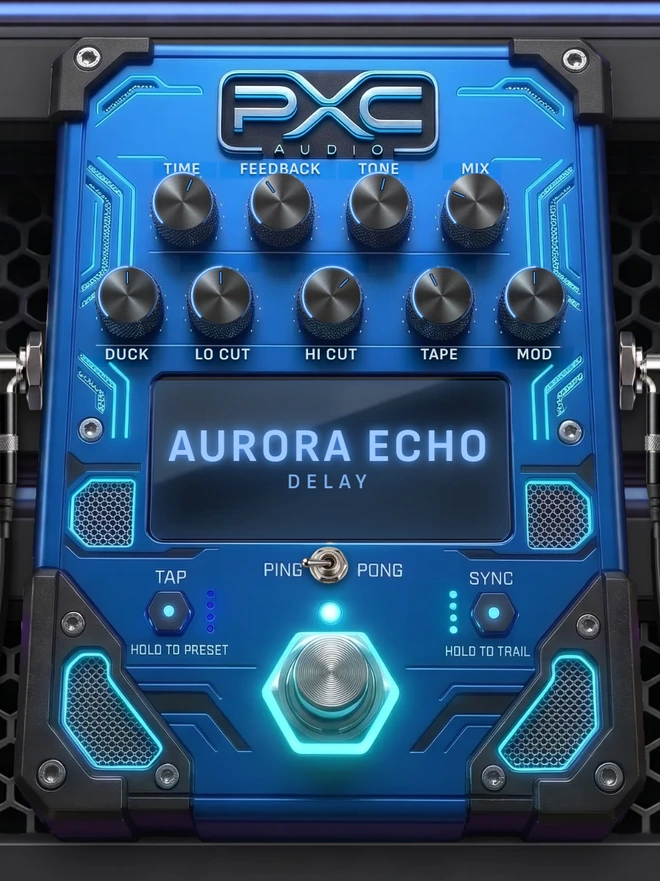
Build repeats around the guitar with filtering, modulation and tape color. Ducking makes space for the played notes, while ping-pong and tempo sync shape the rhythm and stereo movement.
Key controlsTime, Feedback, Mix, Tone, Modulation, Duck, Tape, Low Cut and High Cut; tap, ping-pong and sync.
Try itStart with moderate Feedback and Mix. Increase Duck for clearer phrases, or use ping-pong for wider stereo repeats.
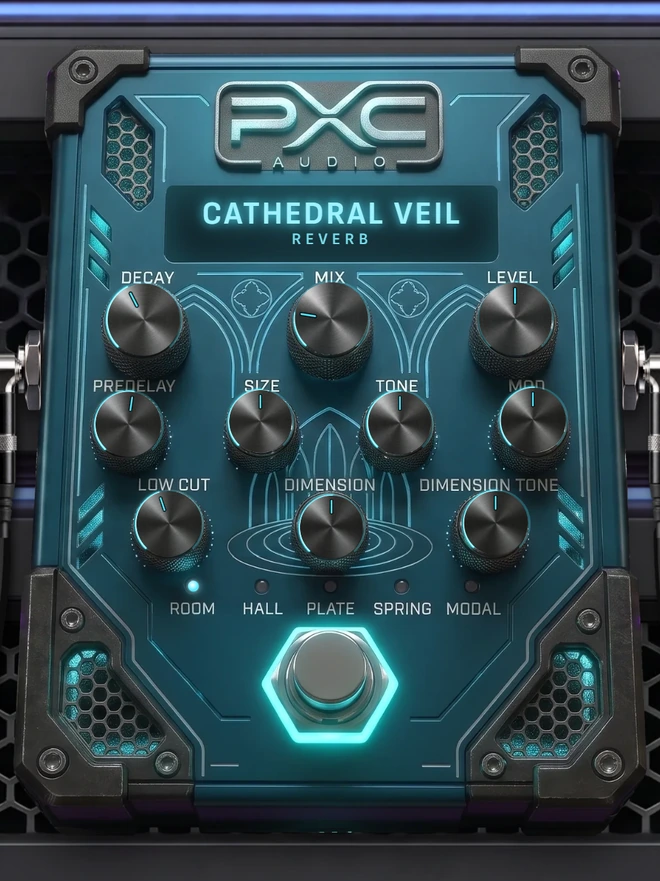
Place your guitar in a room, hall, plate, spring or modal space. Dimension adds a separate shimmering layer, with its own tone control to balance the top end.
Key controlsDecay, Mix, Level, Predelay, Size, Tone, Mod, Low Cut, Dimension and Dimension Tone; reverb type.
Try itUse Predelay to separate the pick attack from the reverb. For ambient parts, lengthen the decay and add Dimension gradually.
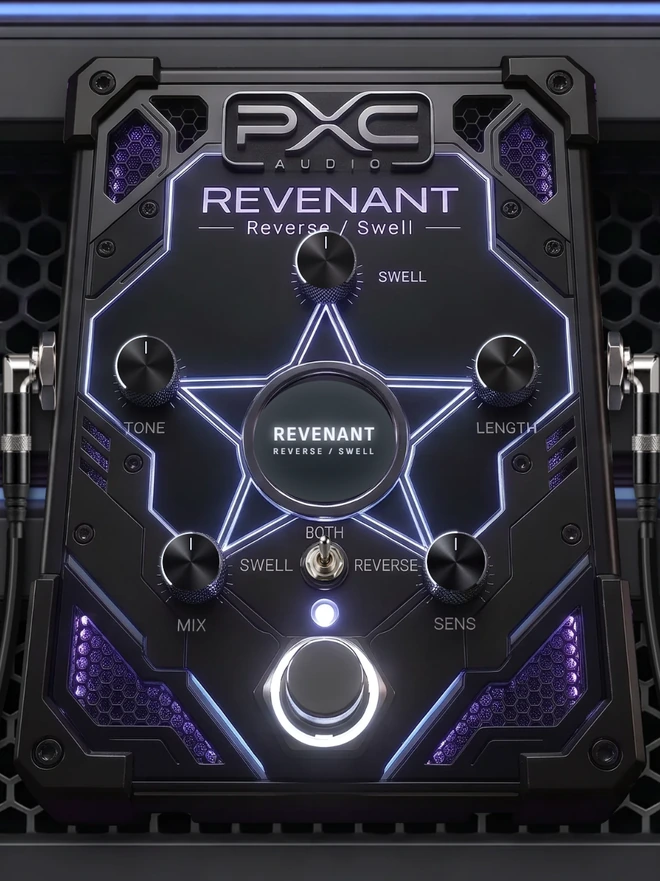
Soften the start of a note and build reverse-style textures. Swell, Reverse and Both modes give different entrances, with length, sensitivity and tone shaping.
Key controlsSwell, Length, Sensitivity, Mix and Tone; Swell / Reverse / Both modes.
Try itTry cleaner sustained notes and raise Swell to soften the pick attack. Add delay or reverb after it for a longer tail.
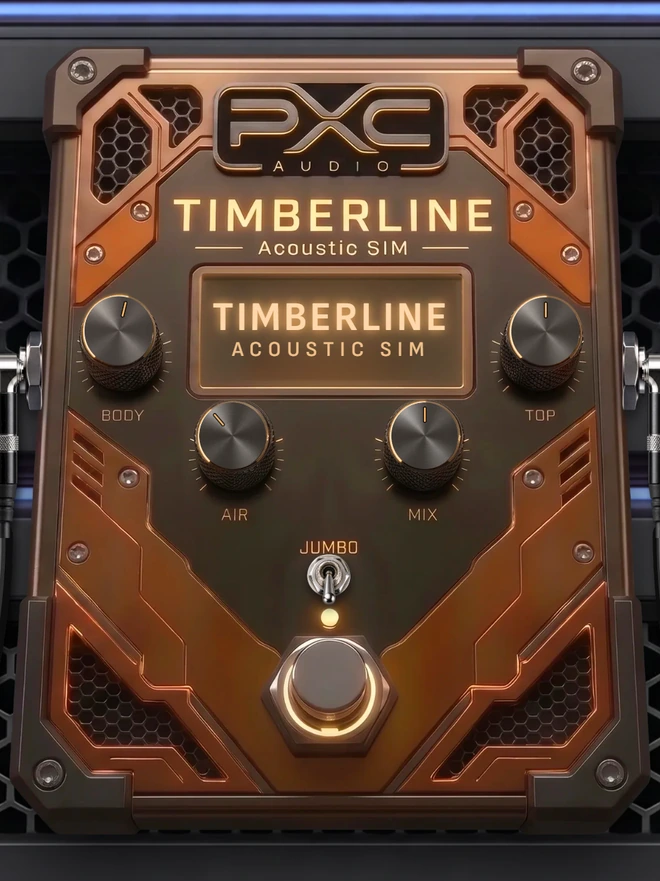
Body, top and air that make an electric sound acoustic. Jumbo for a bigger box.
Key controlsBody, Top, AIR and Mix; body option.
Try itStart with a clean signal and restrained amp gain. Compare pickup positions, then use Mix to blend the body effect with your guitar.
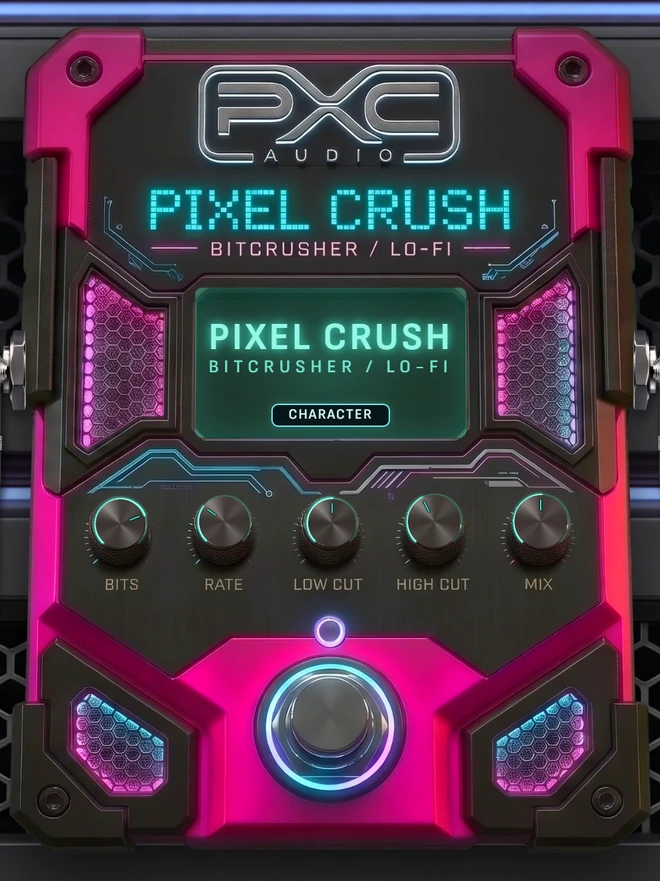
Bit and sample-rate crushing with filters, for 8-bit and lo-fi textures.
Key controlsBits, Rate, Low Cut, High Cut, Mix; Character mode.
Try itCompare whole-number Bits settings with Character enabled. Then lower Rate for an additional sampled, aliased texture.
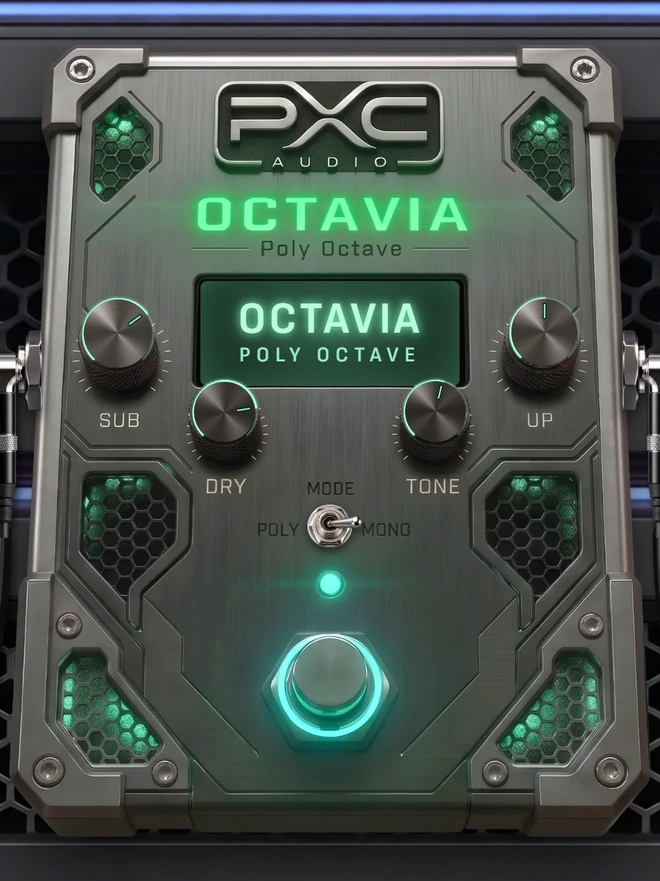
Clean octaves below and above, even on chords, blended with your dry tone.
Key controlsSub, Up, Dry and Tone; POLY / MONO modes.
Try itUse POLY for chord parts. For a single-note bass-like line, add Sub and reduce Dry, then adjust Tone to suit the amp.
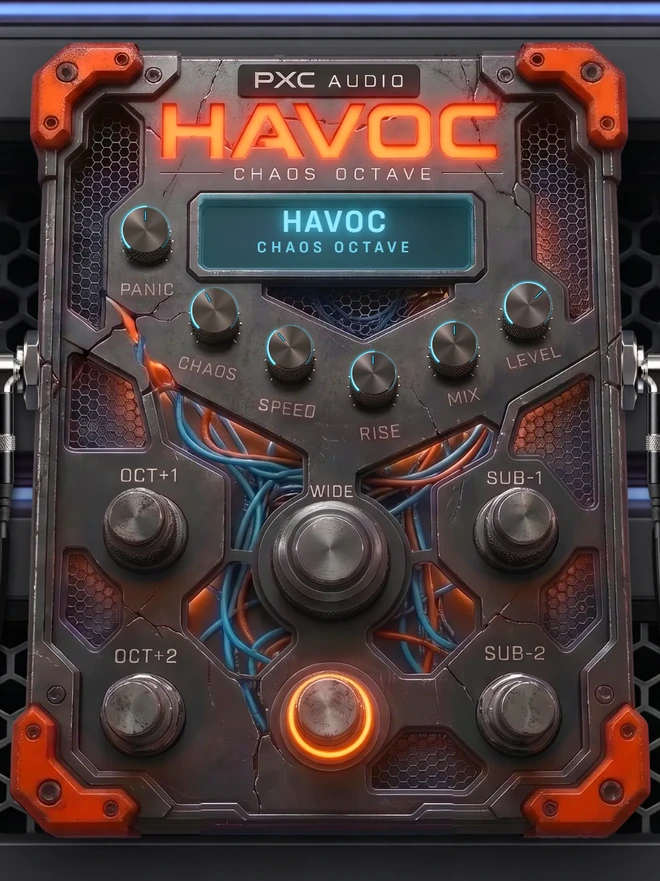
Combine upper and lower octaves with controlled chaos, rising effects and a Panic action. Mix and Level let you place the result around the original guitar.
Key controlsPanic, Chaos, Speed, Rise, Mix and Level; upper/lower octaves and Wide.
Try itBegin with one octave voice and lower Chaos. Bring in Rise or Wide gradually to keep the riff recognizable.
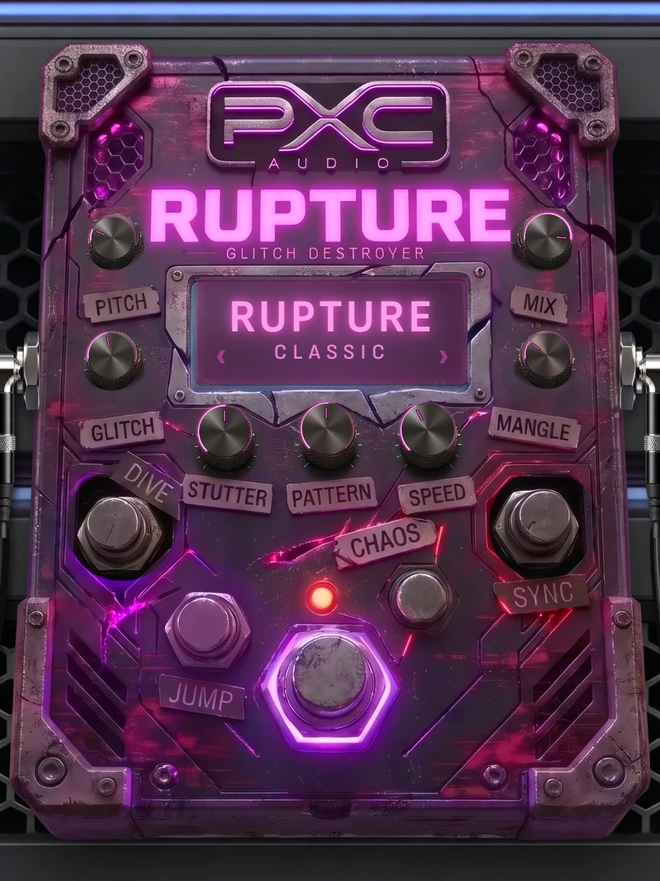
Break a part into rhythmic stutters, pitch jumps and glitch textures. Speed and Pattern define the movement, while Mangle and Mix set how far it departs from the dry guitar.
Key controlsPitch, Glitch, Stutter, Pattern, Speed, Mangle and Mix; dive and sync options.
Try itStart with a synced stutter and modest Mix, then add pitch movement. Compare the result against your song tempo.
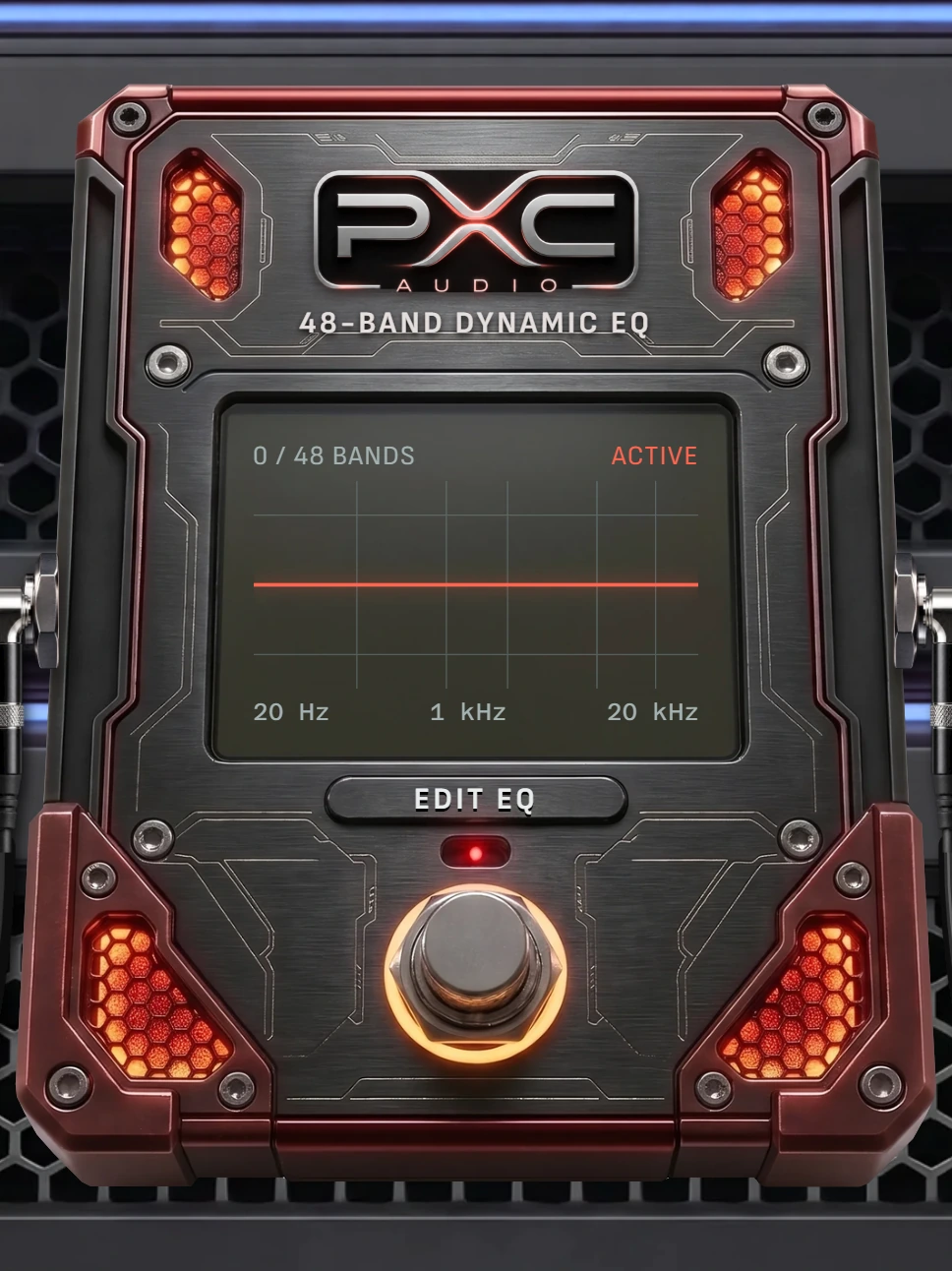
Place a separate EQ anywhere in the signal chain to shape the tone entering an amp or effect.
Key controls48 bands with dynamic processing, channel routing and phase modes.
Try itCut lows before a drive to tighten its response, or move the EQ after it to shape the finished distortion.
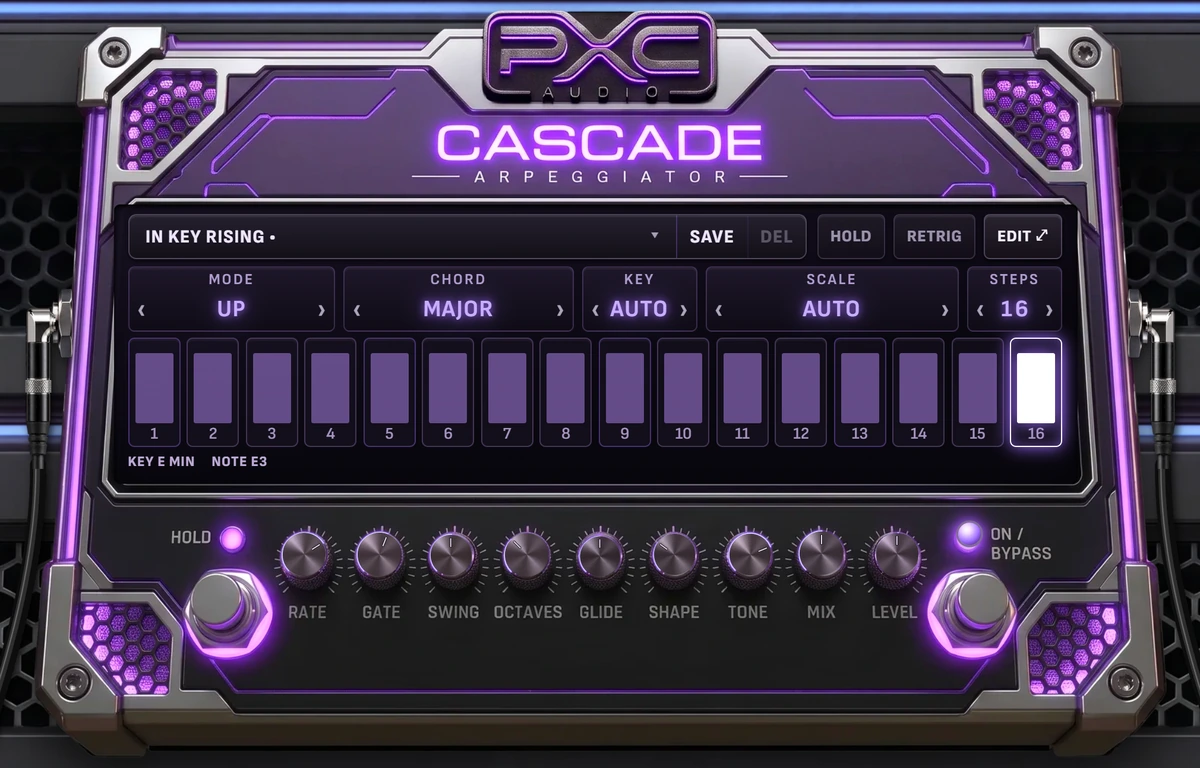
Turns held notes into arpeggios in your key and scale, with 16 editable steps.
Key controls16-step editor, scale, direction and octave range; Rate, Gate, Swing, Glide, Shape, Tone, Mix and Level.
Try itPlay one clear note at a time, then change notes to move the root. Short Gate settings make plucked patterns, and longer gates with reverb sustain the texture.
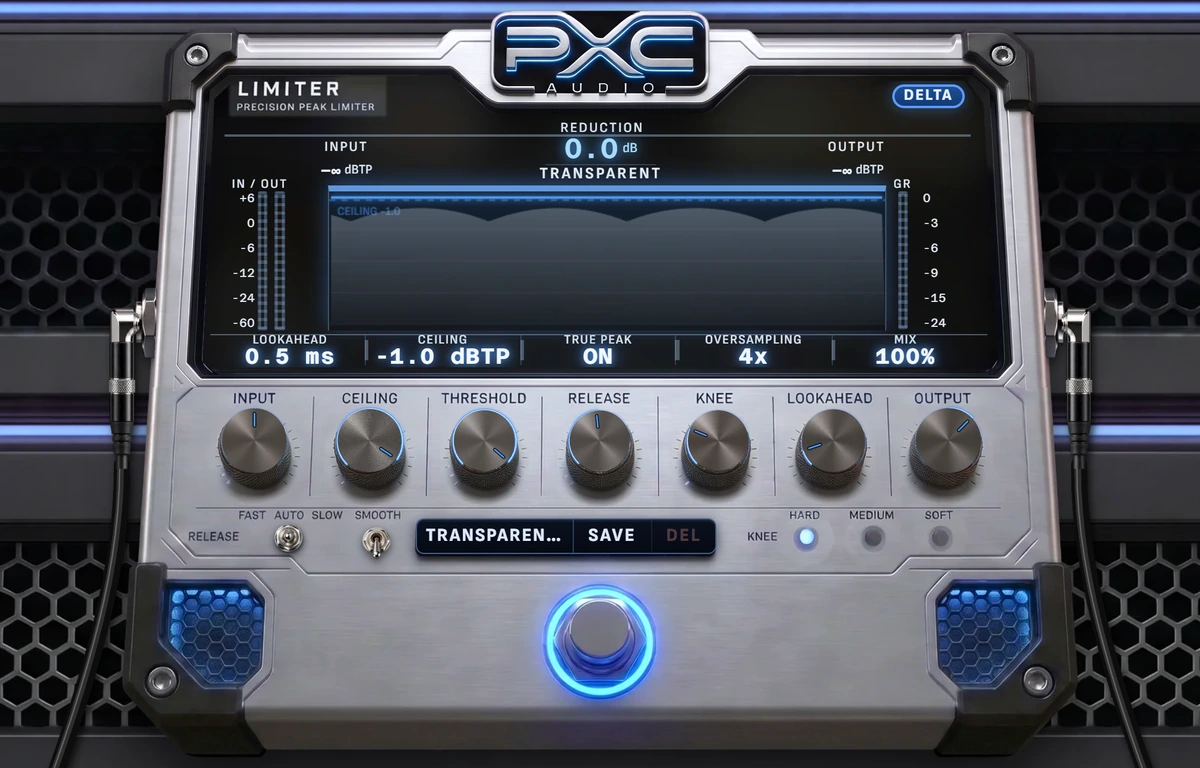
The last stage: a true-peak ceiling nothing passes. Delta lets you hear what it takes.
Key controlsInput, Ceiling, Threshold, Release, Knee, Lookahead, Output and Mix; true peak, oversampling and Delta.
Try itLower Threshold until the meter reacts to the loudest notes. Use Delta to hear the difference, then turn it off for normal listening.
CABINETS & EQ
Place your mics, blend your cabinets and shape the result with the PXC Audio EQ engine.
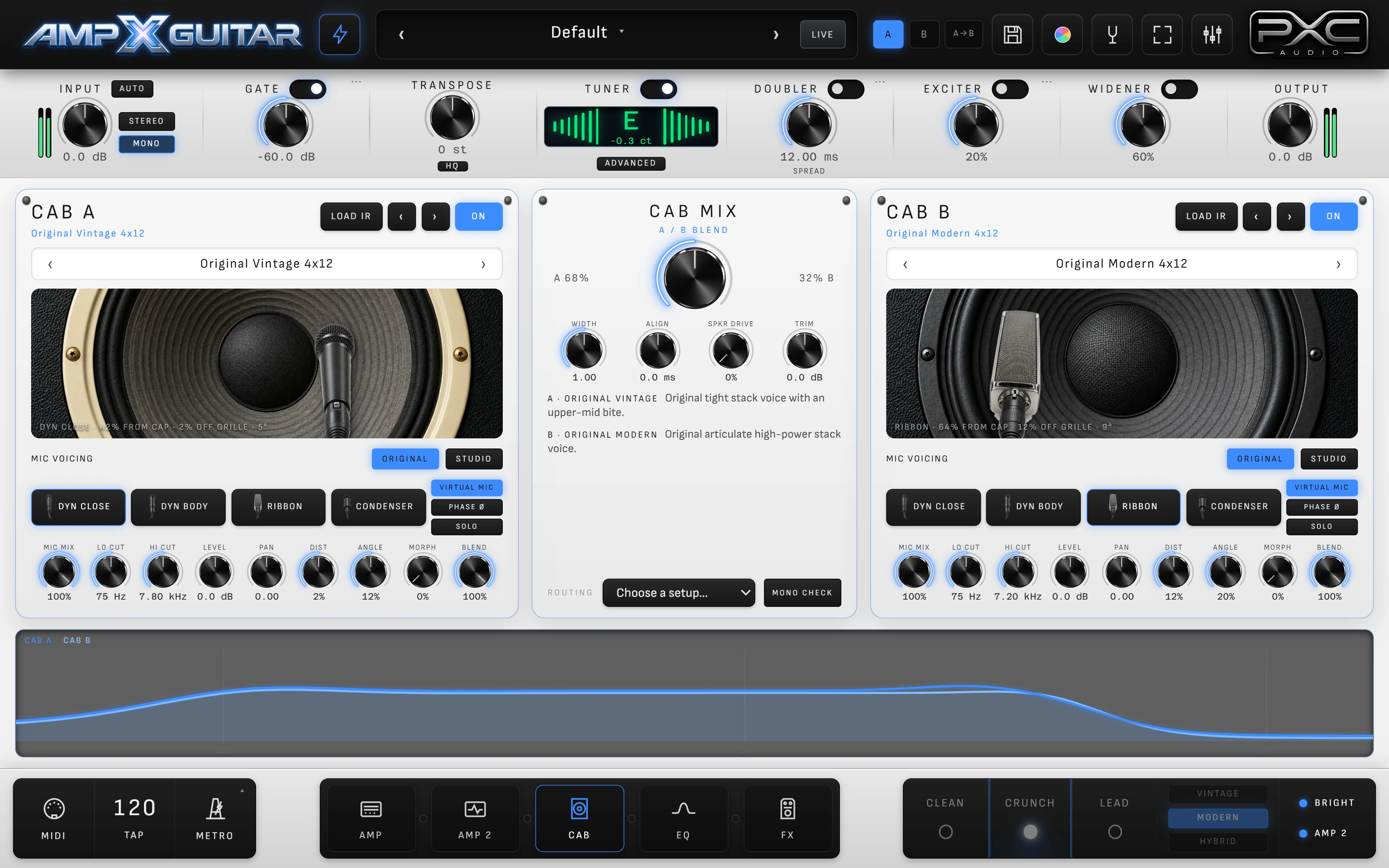
Blend two time-aligned cabinets. Position the four PXC mic voices, or load your own IRs.
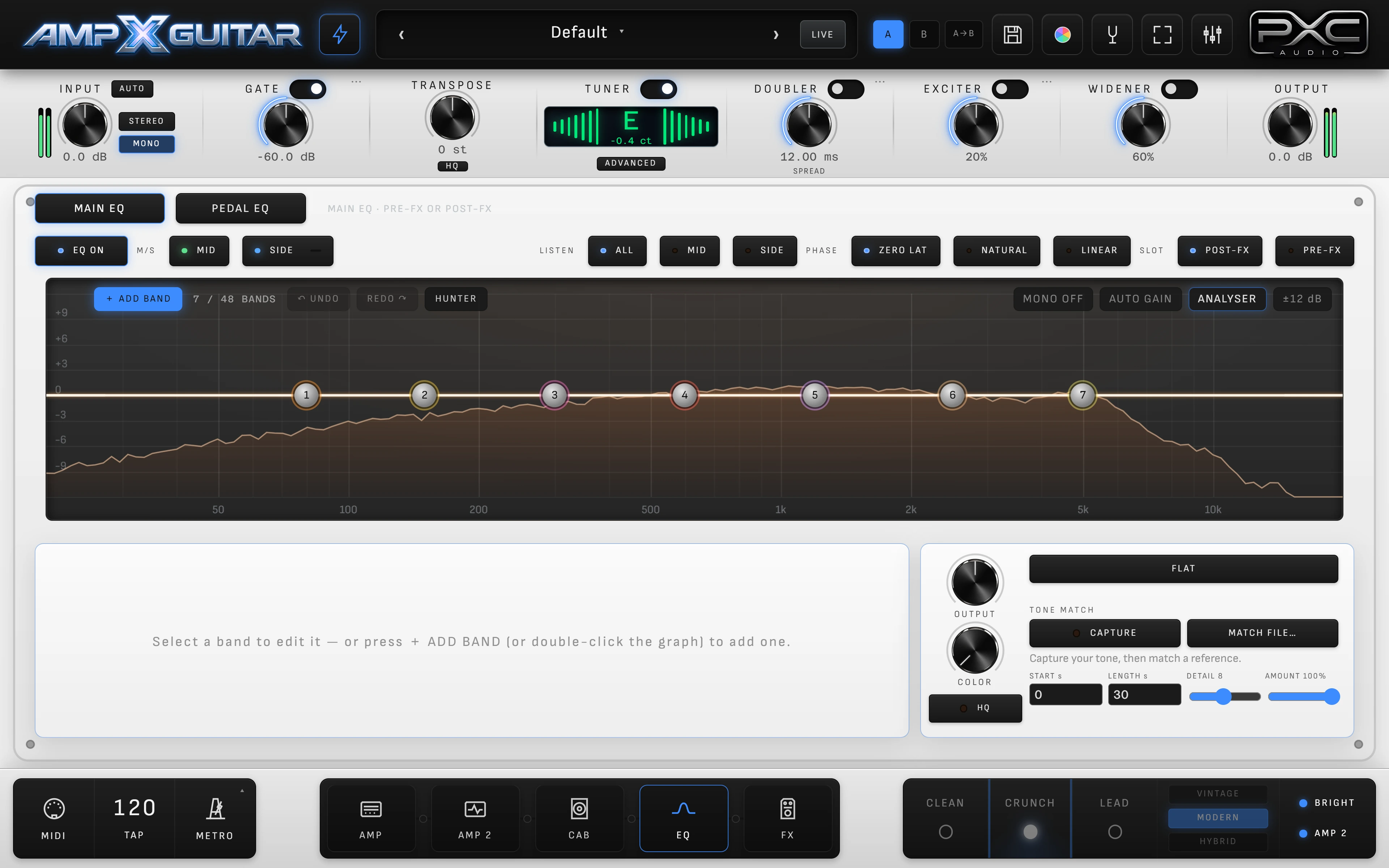
48 bands, dynamic EQ, Hunter resonance control and Tone Match. Work in stereo, left/right or mid/side, with three phase modes.
PLAYING TOOLS
Practice, record and switch between sounds from the same rig.
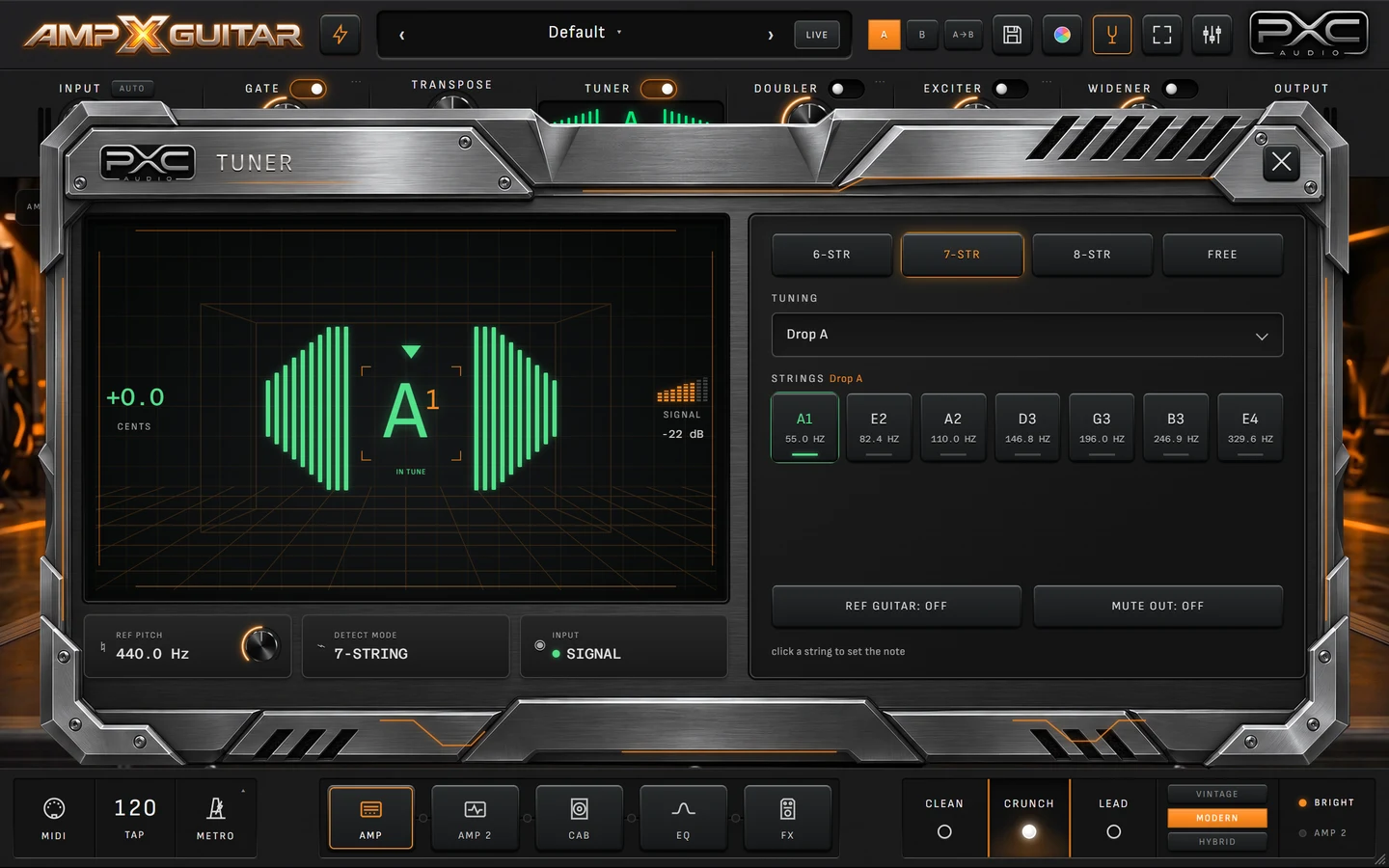
See your pitch as you play. Choose a guitar tuning and check each string without leaving the rig.
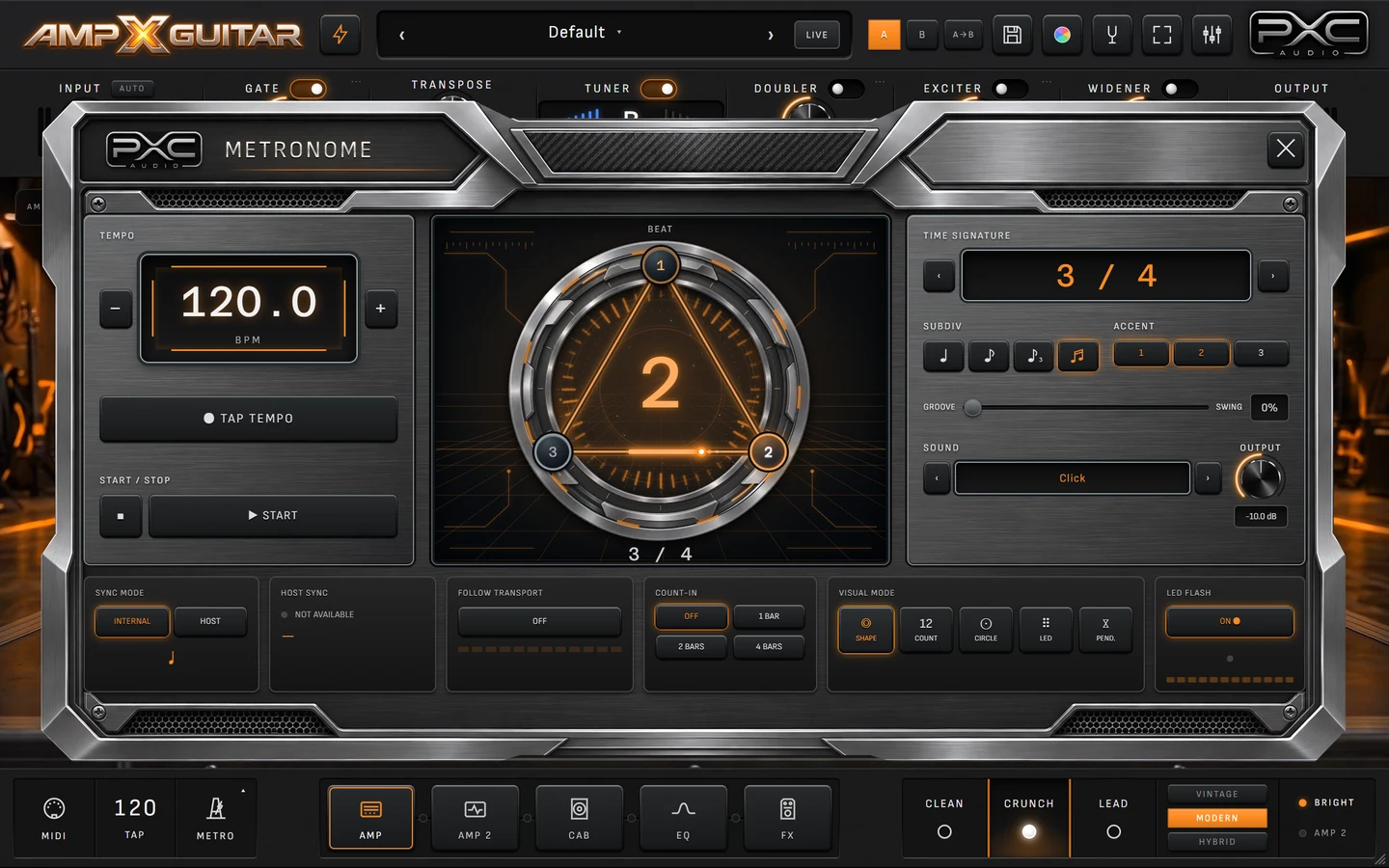
Set the tempo and time signature, then follow the beat with the animated counter. The silent demo shows how it looks in use.
MAKE IT YOURS
Dark or light. Eight accent colors or your own hue. Adjustable glow and lights that react to your playing.
Both amps include Original and Futuristic faces. Resize the window to suit your setup.
THE COMPLETE RIG
Use Amp X on its own or inside your Windows DAW.
Yes. Amp 2 loads .nam captures using standard NAM model types, and both cabinets accept your own impulse responses.
Yes. Amp 2's Capture records your amp with a test signal through your interface. The built-in trainer creates a capture on your own computer.
Yes. Save sounds in My Presets, import original Amp X presets, and share or download tones through PXC Tones from the preset browser.
No. Play through the standalone app, or load the VST3 in a 64-bit Windows DAW.